4
TD4022B
• 40” LCD display
• Display supports: 720p, 1080i,
1080p
• 1920 x 1080 native resolution
• 1080p Full HD
• DVD player: DVD, DVD±R/RW
• CD player: CD, CD-R/RW, JPEG
CD
• Aspect ratio: 16:9
• Brightness: 430cd/m²
• Max color: 16.5 million
• Contrast: 3000:1
• Response time: 8ms
• Viewing angle: 178°H, 178°V
• ATSC/NTSC tuner
• NTSC video system
• Progressive scan
• V-chip
• Multi-language on-screen
display
• Slot-load disc player
• Auto-scan
• Electronic program guide
• Sleep timer
• Closed captioning
• Digital volume control
• Built-in speakers
• HDMI inputs
• Component video input
• VGA PC video input
• Composite video input
• USB port: supports JPEG, MP3
le formats
• Optical digital audio output
• RCA stereo audio inputs
• RCA stereo audio outputs
• 3.5mm PC audio input
• RF input
• Full-function remote
• Wall mountable
• AC power: built-in AC power
cable
• Remote control: requires 2
AAA batteries (included)
• Removable stand
* Please note, LCD panel specications are subject to change without notice.
* Some pixels may be visible on the screen, appearing as tiny red, green, blue or black spots. This is normal and is not
a defect on the TV nor does it negatively aect the performance.
Features
Includes
Setup
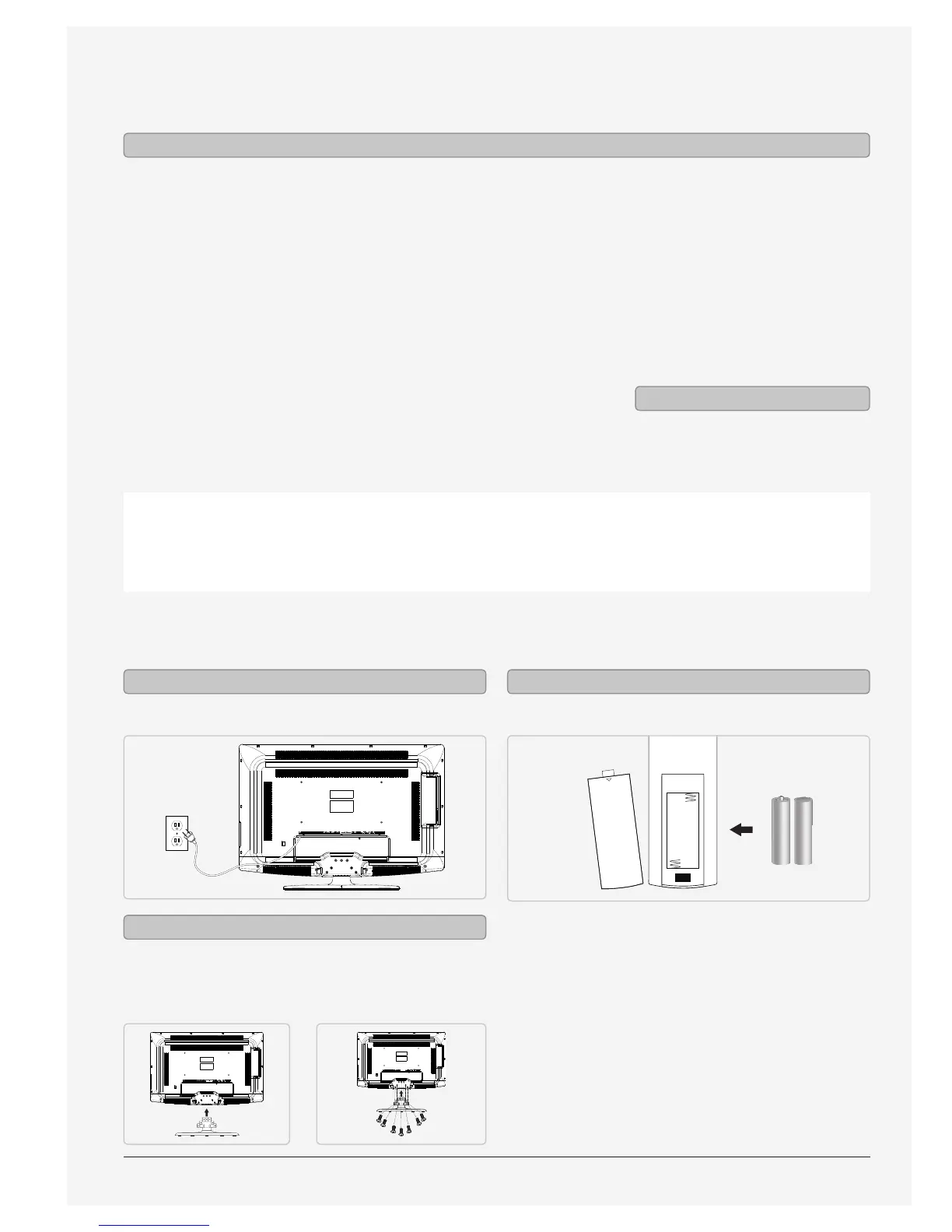
AC power: built-in AC power cable Requires 2 AAA batteries (included)
OPEN
Power Remote
Use a philips-head screwdriver to tighten or remove
the screws. Using an power drill could damage the
TV stand.
Attaching the Stand


 To Next Page