Customer Support: 1-888-999-4215 GPX 13
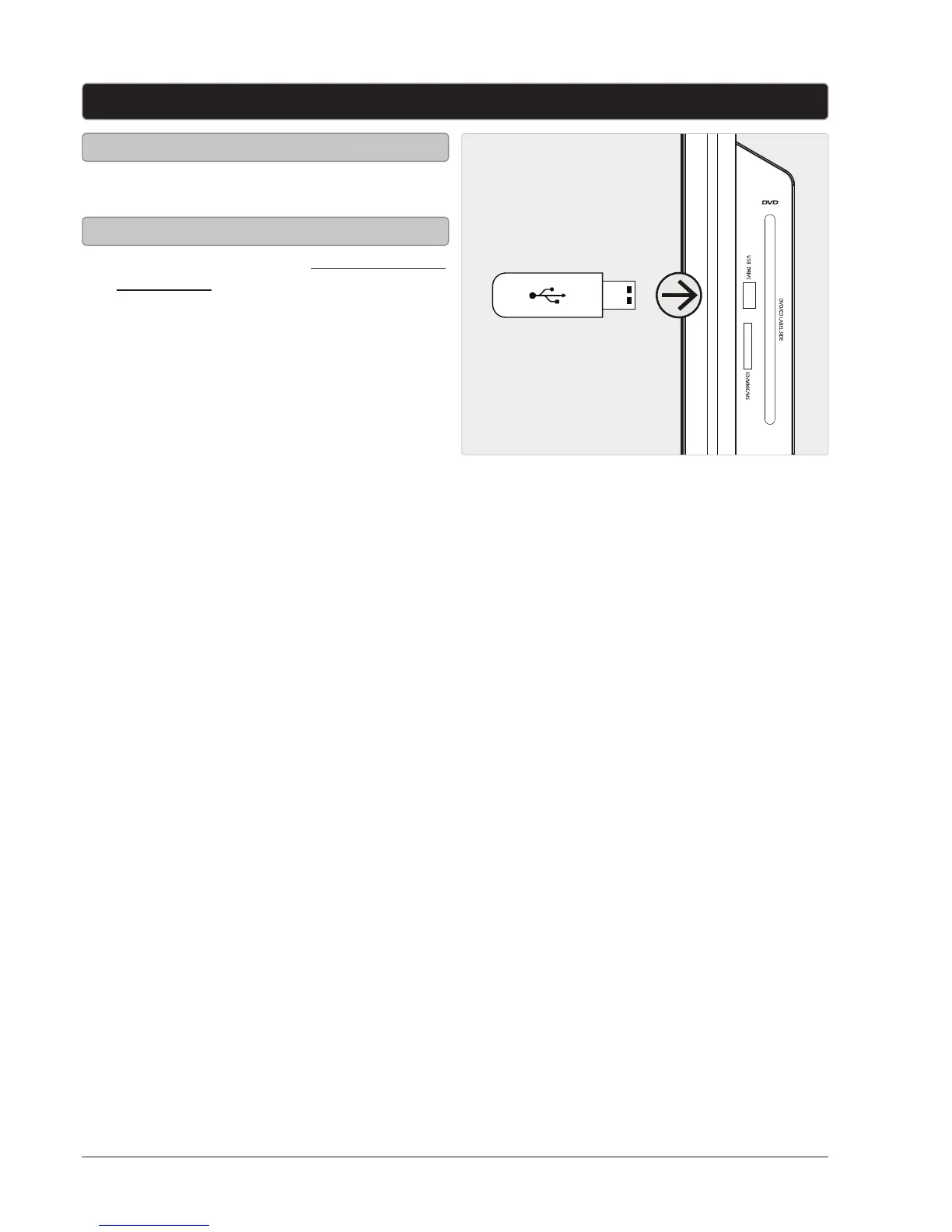
1. Connect a USB thumb drive to the USB PORT
as shown in the image to the right.
1. Follow the instructions for Connecting a USB
Thumb Drive.
2. Press the SOURCE button to switch to DVD
mode.
3. Press the USB/SD button on the remote to
switch to USB mode.
4. Use the ARROW/ENTER buttons to select
and play content from the connected USB
thumb drive.
USB Port
Connecting a USB Thumb Drive
Accessing the Connected USB Thumb Drive


 To Next Page