12
Connecting Other Devices
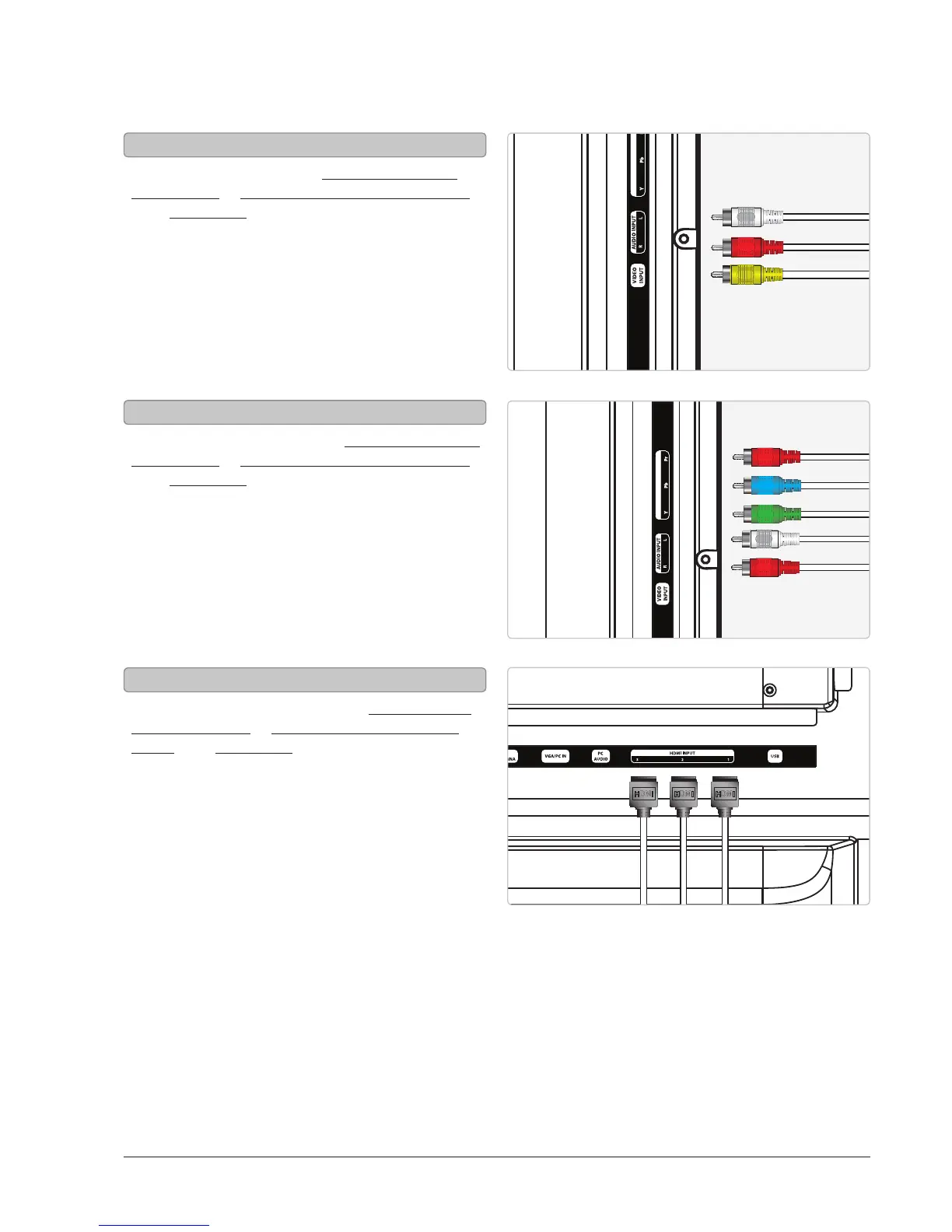
You will need: a set-top box, composite and RCA
stereo cables or component and RCA stereo cables
or an HDMI cable. (not included)
1. Connect the set-top box’s audio and video
outputs to the corresponding audio and video
inputs on the television.
2. Power the television on and press the Source
button to switch to the connected input. (AV
(composite), YPbPr (component), or HDMI 1, 2,
or 3)
You will need: a gaming device, composite and RCA
stereo cables or component and RCA stereo cables
or an HDMI cable. (not included)
1. Connect the gaming device’s audio and video
outputs to the corresponding audio and video
inputs on the television.
2. Power the television on and press the Source
button to switch to the connected input. (AV
(composite), YPbPr (component), or HDMI 1, 2,
or 3)
You will need: a DVD player or VCR, composite and
RCA stereo cables or component and RCA stereo
cables or an HDMI cable. (not included)
1. Connect the DVD player or VCR’s audio and video
outputs to the corresponding audio and video
inputs on the television.
2. Power the television on and press the Source
button to switch to the connected input. (AV
(composite), YPbPr (component), or HDMI 1, 2,
or 3)
(Set-Top Box, Gaming Device, DVD Player, or VCR)



 To Next Page