Loading Media
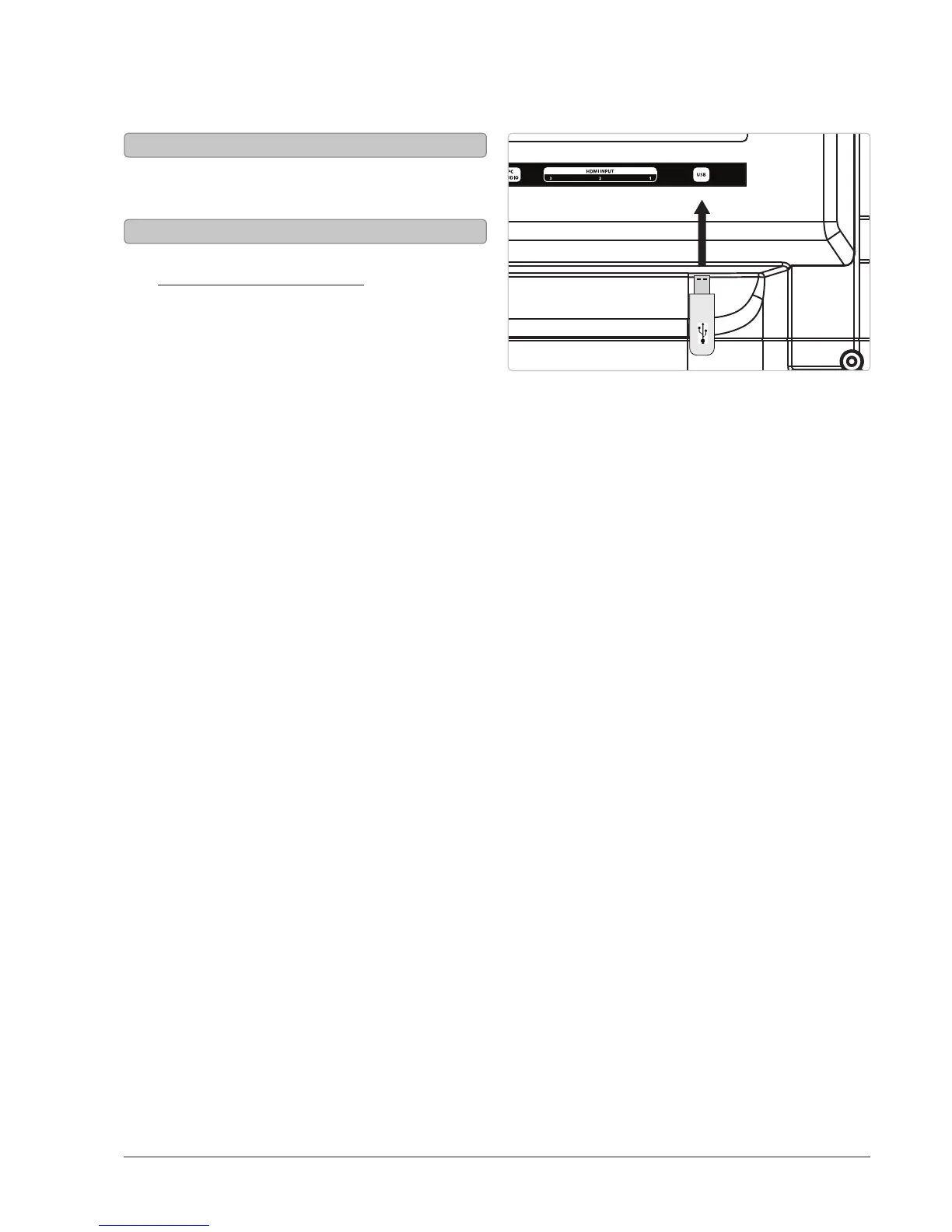
1. Load a USB thumb drive into the USB Port
as shown in the image to the right.
1. Follow the instructions for
Connecting a USB thumb drive.
2. Press the Source button to
switch to Media mode.
3. Use the Arrow and Enter buttons
to select and play content from the
connected USB thumb drive.
Connecting a USB Thumb Drive
Using a USB Thumb Drive



 To Next Page