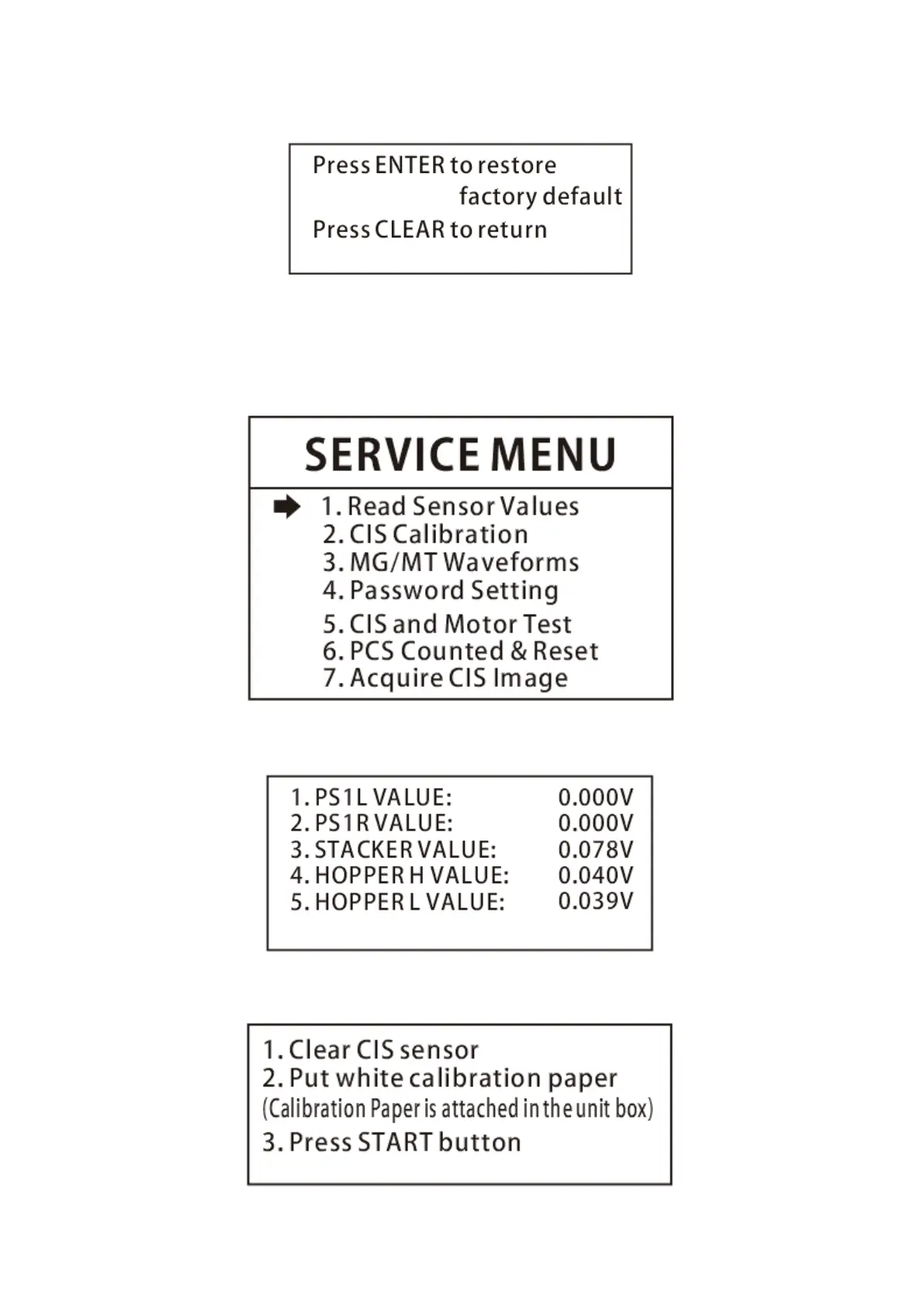
3.1.3 If you select to enter ‘Back to default setting’, you will see the following interface.
3.1.4 MIX C Setting mode is reserved for servicing purpose only, not open to end users.
3.2 If you select to enter ‘Service Menu’ under the main menu, you will be requested to input the
password as well. The default password is 0518. After the password, you will see the following
interface.
3.2.1 If you enter ‘Read Sensor Values’, you will see the following interface. This interface is only for
servicing purpose to see whether any sensor has a malfunction.
3.2.2 If you enter ‘CIS Calibration’, you will see the following interface to instruct you how to do color
balancing for CIS sensors.


 To Next Page