21
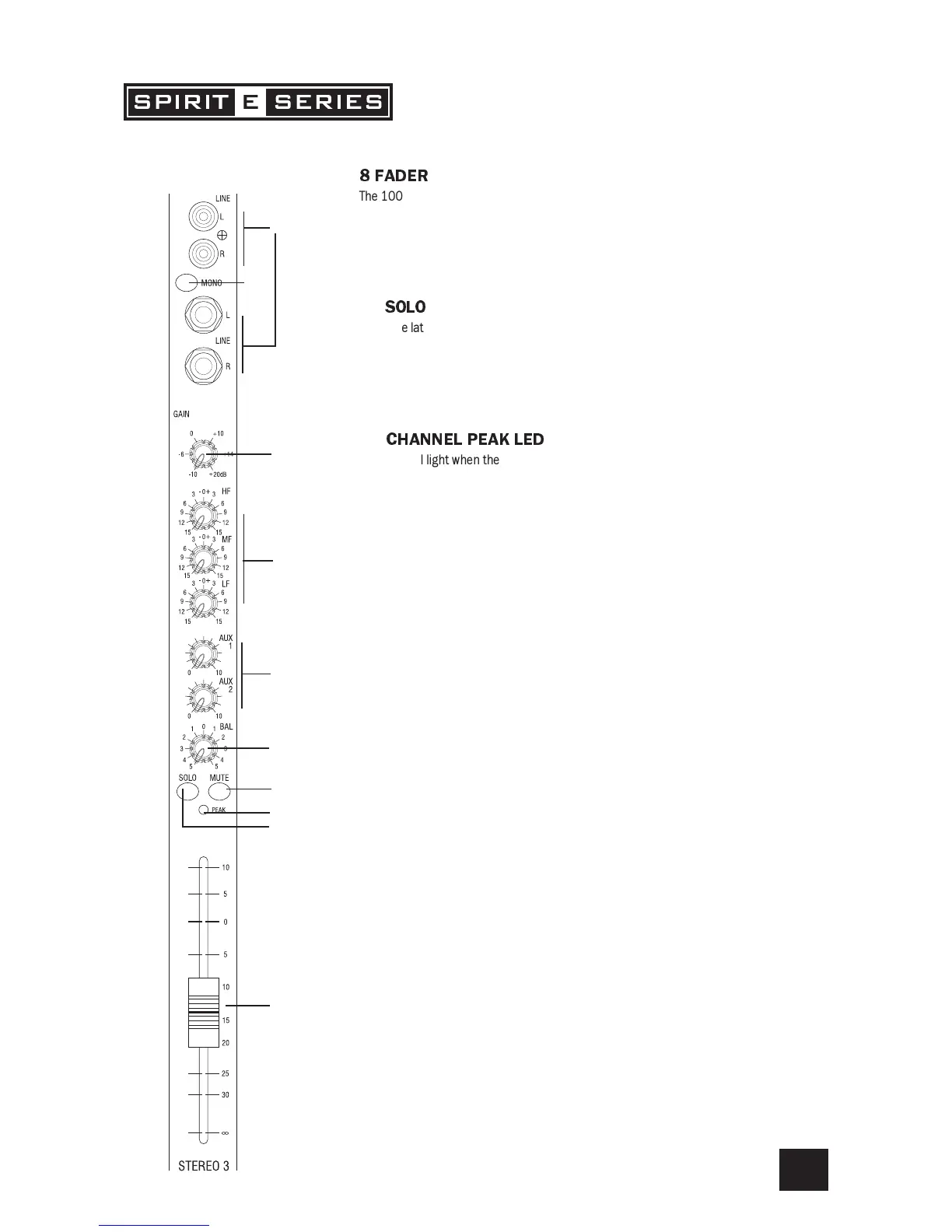
8FADER
The 100mm FADER gives you smooth control of the overall signal level in the channel strip,
allowing precise balancing of the various source signals being mixed to the Master Section.
It is important that the input level is set correctly to give maximum travel on the fader which
should normally be used at around the 0 mark. See the Initial Setup section on page 23
for help in setting the right level.
9
SOLO
When the latching SOLO switch is pressed, the pre-fade pre-mute signal is fed in mono to the
headphones, control room output and meters, where it replaces the MIX. The SOLO LED on
the Master section illuminates to warn that a SOLO is active. The Left and Right meters
display the SOLO signal in mono. This is a useful way of listening to any required input signal
without interrupting the main mix, for making adjustments or tracing problems.
0
CHANNELPEAKLED
This LED will light when the signal level approaches clipping at any of the three monitored
points:
a) PRE-EQ
b) POST-EQ
c) POST-FADE
7
1
2
3
4
5
6
9
0
8


 To Next Page