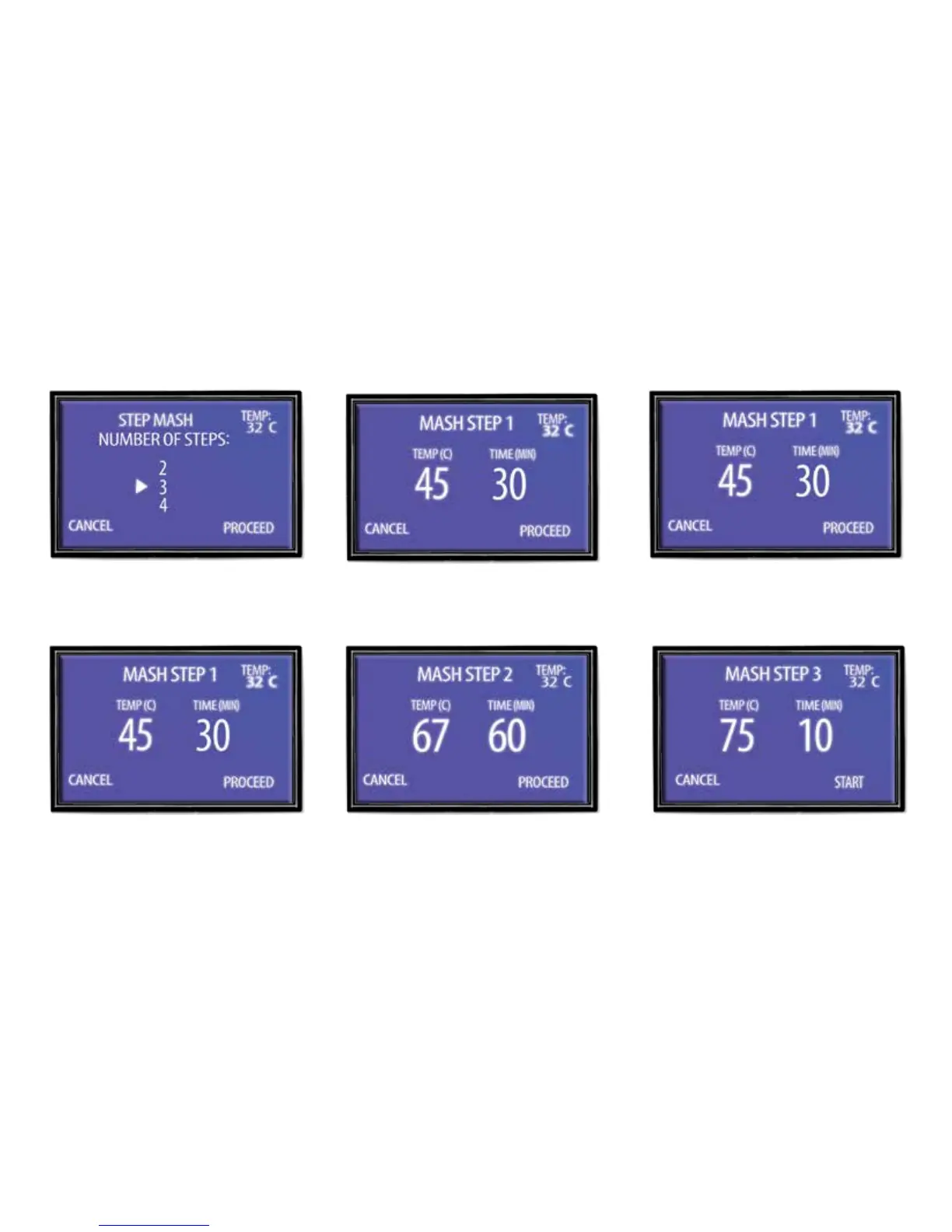
4. Press up or down to change time for
that step.
5. Press the “Heat” button to proceed
to the next step. Repeat, depending
on the amount of steps you have
selected.
6. On the last step press the “Heat”
button to start brewing.
Step Mashing
In this mode your can program up to four steps into the control box.
1. Choose how many steps you need
by pressing up arrow, then press
‘Heat’ to proceed.
2. Press up or down to change
temperature.
3. Press “Set” to switch to edit time.



 To Next Page