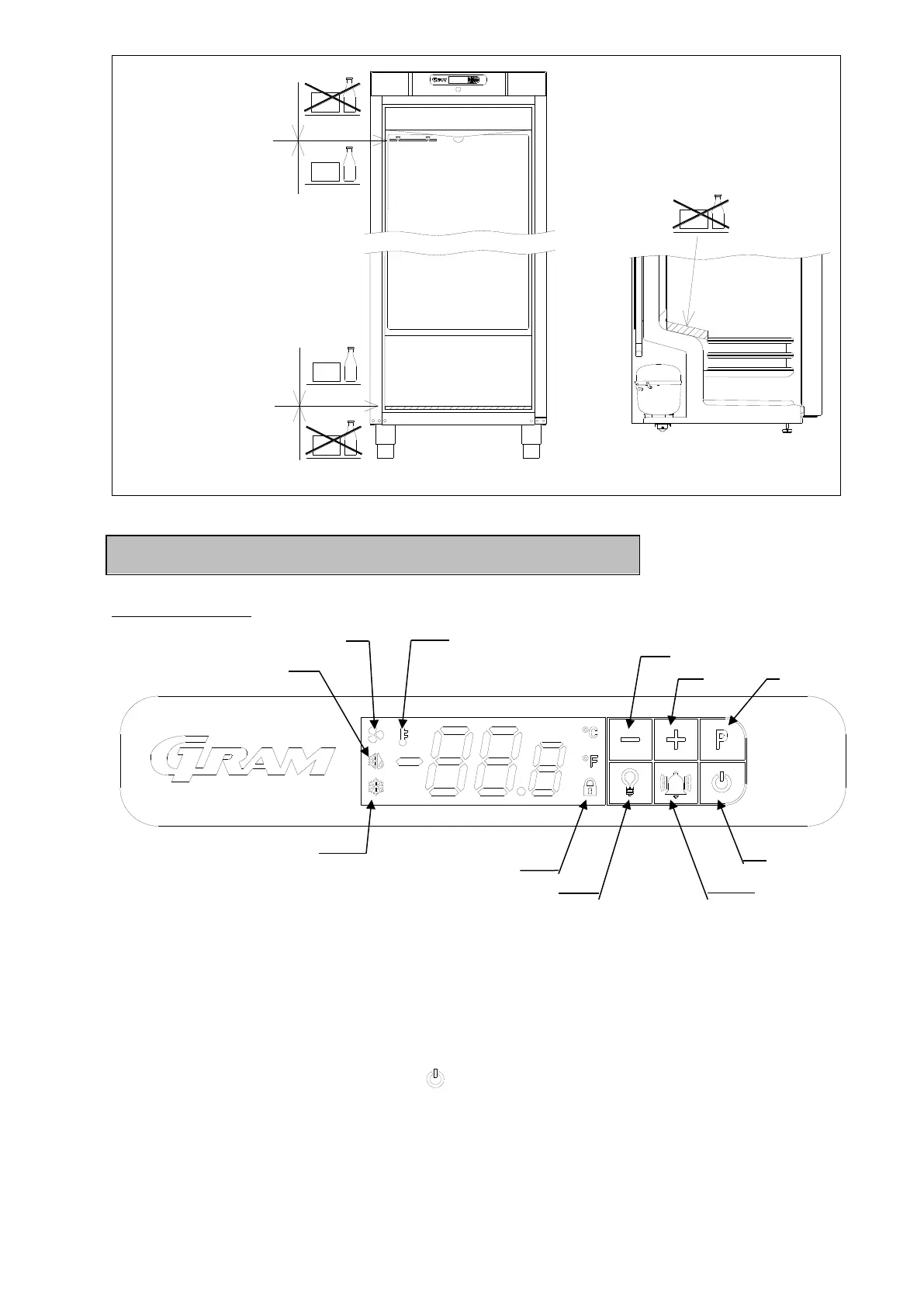
Display overview
When the product is connected to main supply a short boot sequence is performed. During
this all light segments in the display are lit.
After that, the controller starts up in normal operation mode.
If the cabinet is not turned on when connecting it to main supply, the display will show oFF.
To turn the cabinet on, push and hold for 5 seconds.
The controller starts up in normal operation mode displaying the current cabinet
temperature.
The refrigeration system will follow the factory default set temperature:



 To Next Page