Repair Manual MSG 90.6PG Commercial Vehicles, Omnibuses – November 2017
Material no. 1153450_c
3.31.1 Backrest cover – removal and installation
Page 3 of 5
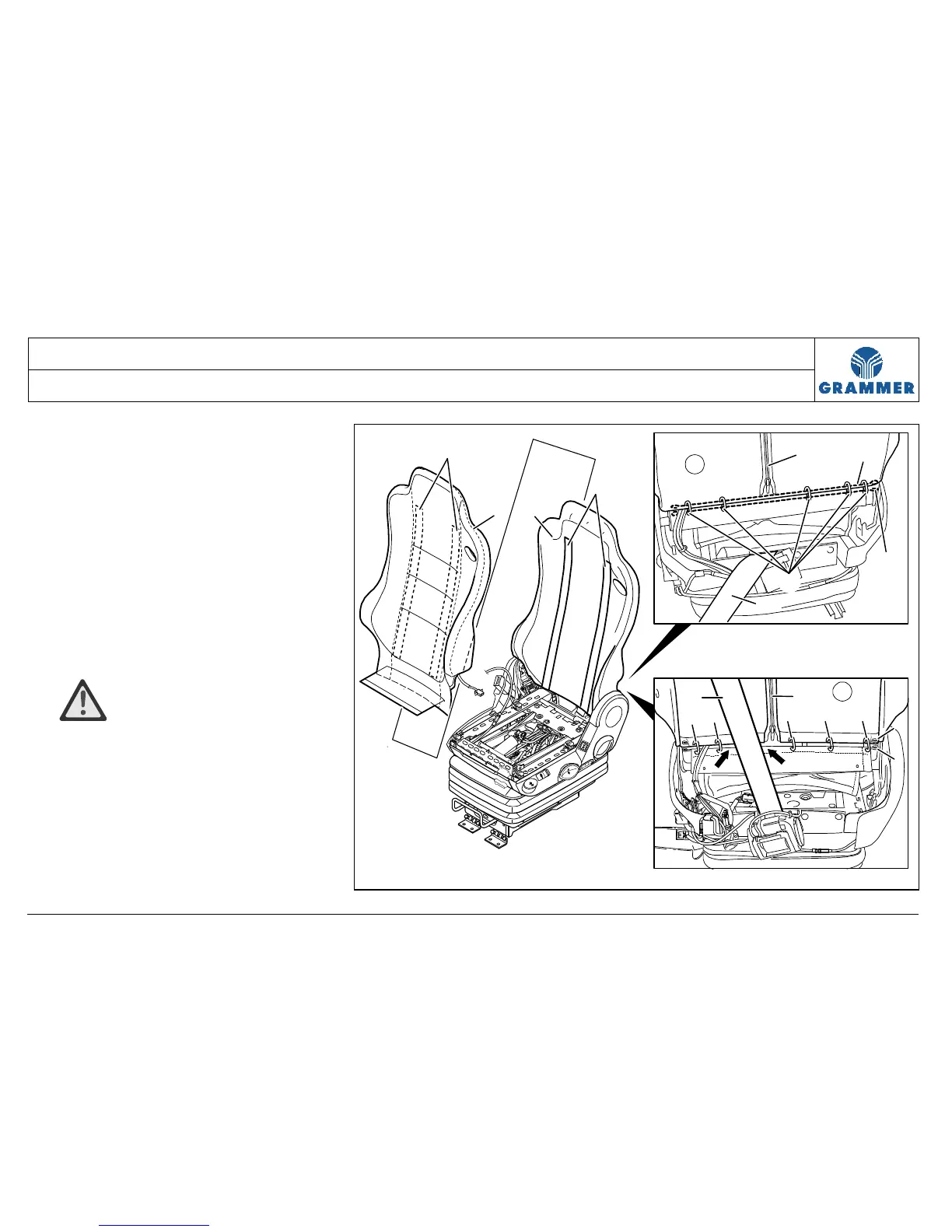
6 Remove the backrest cover and the
safety belt (see Chapter 3.26).
Note:
Remove the safety belt only at the
backrest. Do not remove the belt roller
and the belt buckle.
Removal and installation
7 Bend open the five covering clamps
(6), turn off from the backrest (1) and
remove.
Installation notes:
• ATTENTION Damage!
Attach the new covering clamps (6)
with the sharp side to the foam part
(2). Do not install any covering clamps
(6) in the safety belt area (7) (arrows).


 To Next Page