Repair Manual MSG 90.6PG Commercial Vehicles, Omnibuses – November 2017
Material no. 1153450_c
3.31.1 Backrest cover – removal and installation
Page 4 of 5
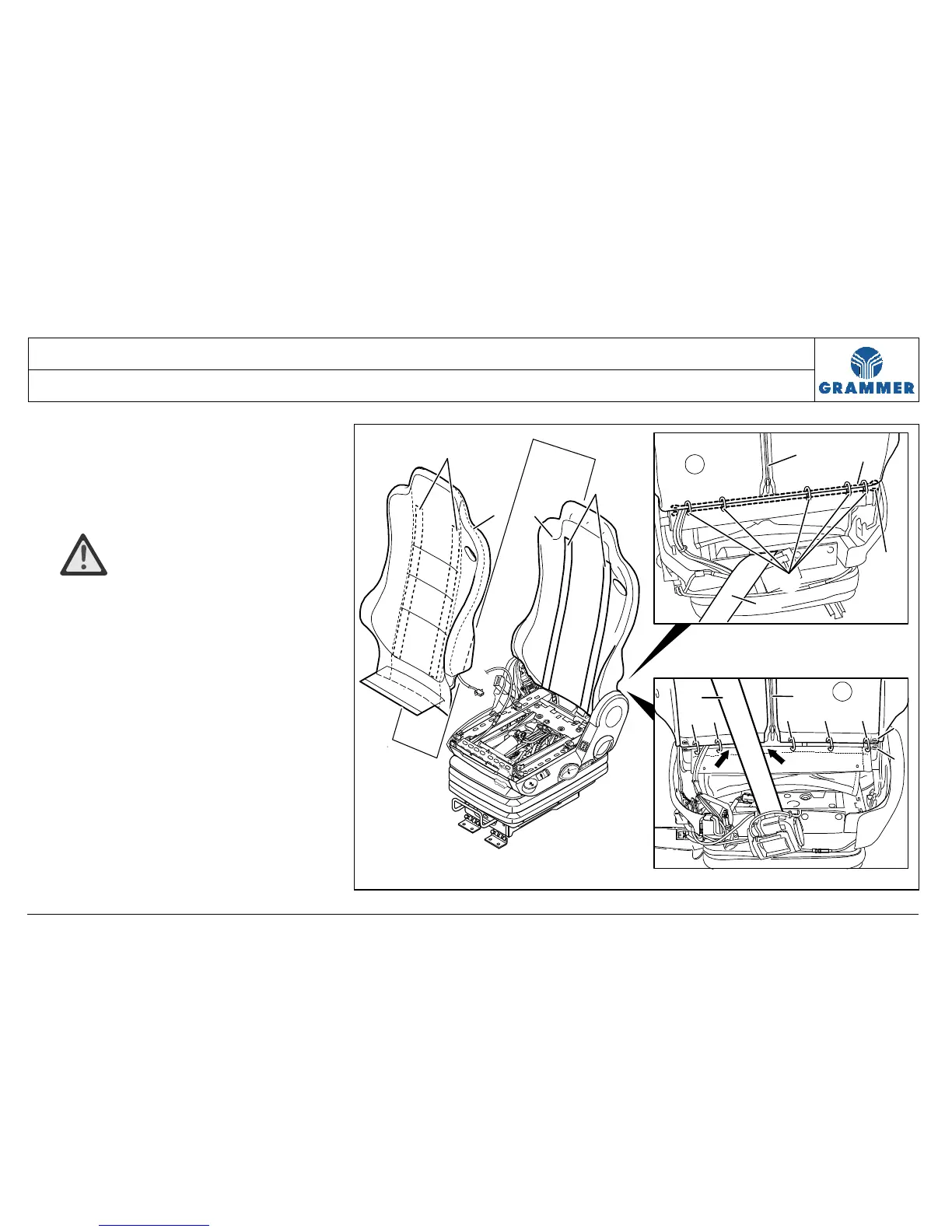
8 Open fully the zip fastener (4) of
backrest cushioning (1).
9 Remove the lower and upper insertion
rod (5) from the backrest cover (1).
10 ATTENTION Damage!
The backrest cover (1) is secured in
the backrest area with two Velcros
(3). When separating the Velcro
fasteners, make sure the Velcros (3)
are not torn out of the foam plastic
part (2).
Pull off the backrest cover (1) from
the foam plastic part (2) in upward
direction.
1
2
3
3
4
5
7
4
1
6
5
66
6
6
5
5
1
6
7
2232


 To Next Page