Repair Manual MSG 90.6PG Commercial Vehicles, Omnibuses – November 2017
Material no. 1153450_c
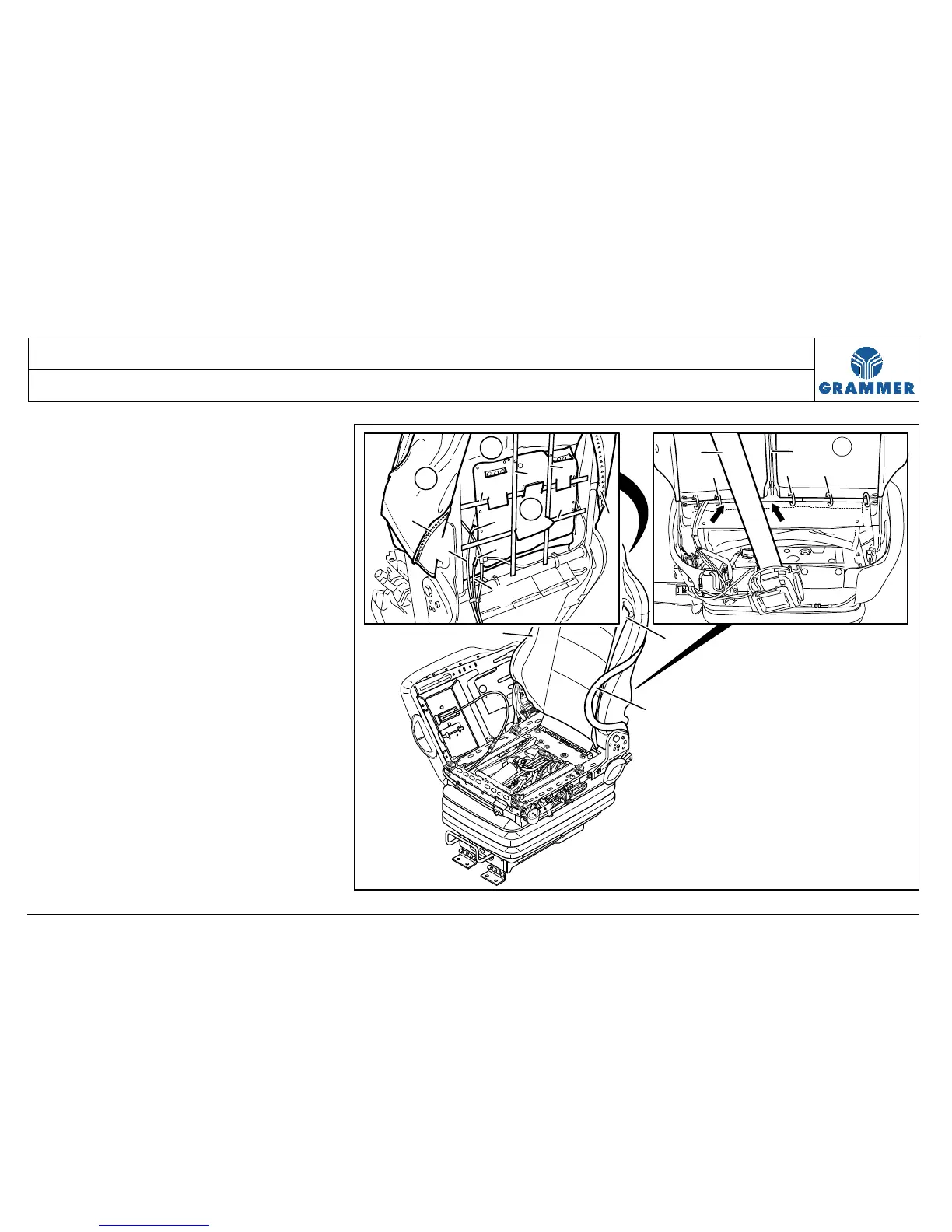
3.33 Lumbar support – removal and installation
Page 2 of 5
1 Lift off the seat cushion in position for
repair (Chapter 3.1).
2 Remove the left covering in position
for repair (Chapter 3.4).
3 Carefully detach the rear covering at
the right covering (see Chapter 3.5).
4 Remove the backrest cover at the
backrest (see Chapter 3.26).
Note:
The seat belt does not have to be
removed.
3
4
5
6
6
6
8
10
10
7
9
9
6
2
2
1
2
10
3
1111
11
2236


 To Next Page