Repair Manual MSG 90.6PG Commercial Vehicles, Omnibuses – November 2017
Material no. 1153450_c
3.55 Microphone support – removal and installation
(seat with climate control system)
Page 2 of 3
Removal and installation
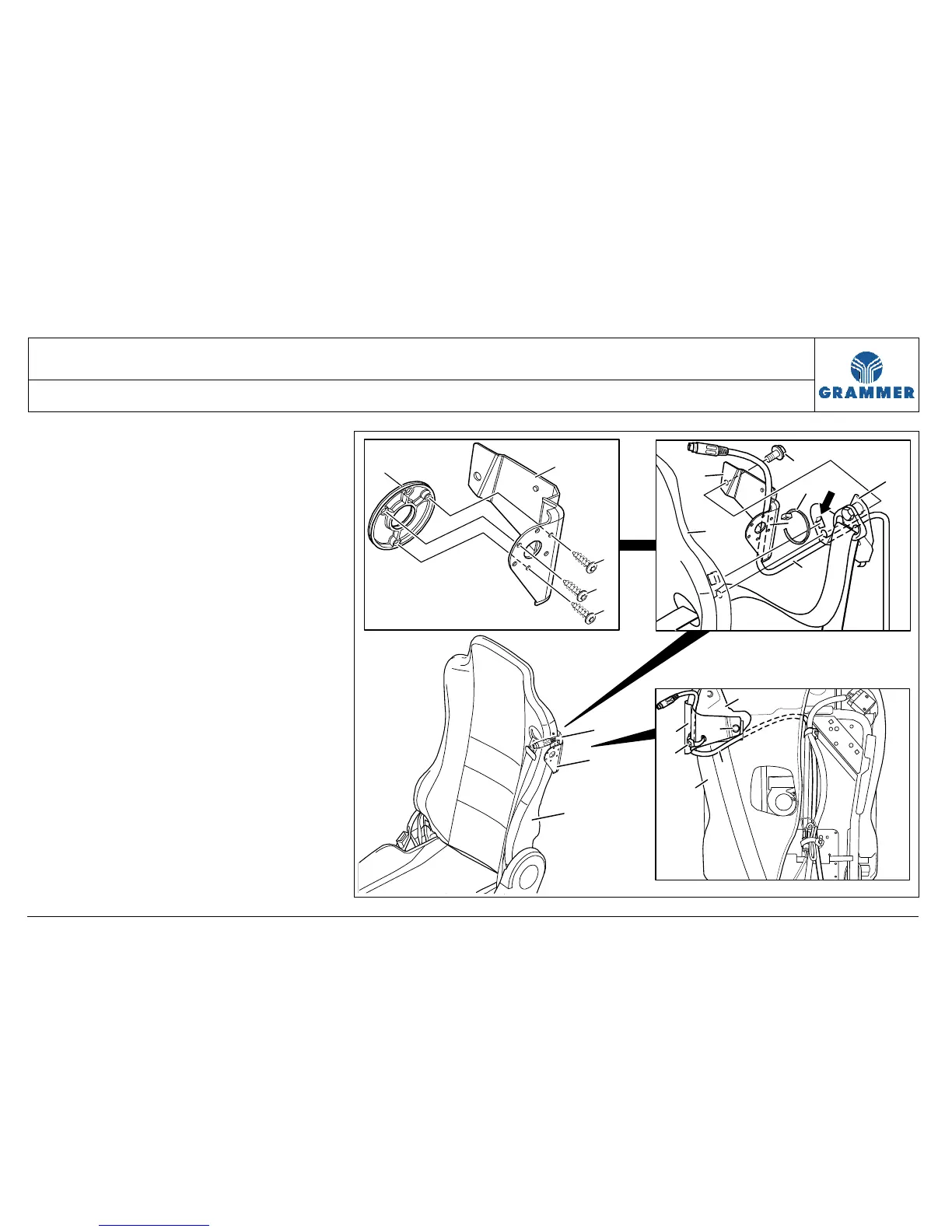
3 Fold the backrest (3) forwards.
4 Unscrew the serrated washer head
screw (4), and put aside the
microphone support (1) on the
backrest (3).
Note:
After unscrewing the serrated washer
head screw (4) the belt bracket (6) is
loose.
Installation notes:
• Replace the serrated washer head
screw (4), 25 Nm.
• The hook (arrow) at the belt bracket
(6) must engage into the square hole
at the backrest (3).
1
8
7
8
8
3
1
2
6
2
4
1
3
5
2
4
5
1
3
6
2553


 To Next Page