VIDEO IN: Connects to your video device such DVD/VCR/Camera for
video pass-through.
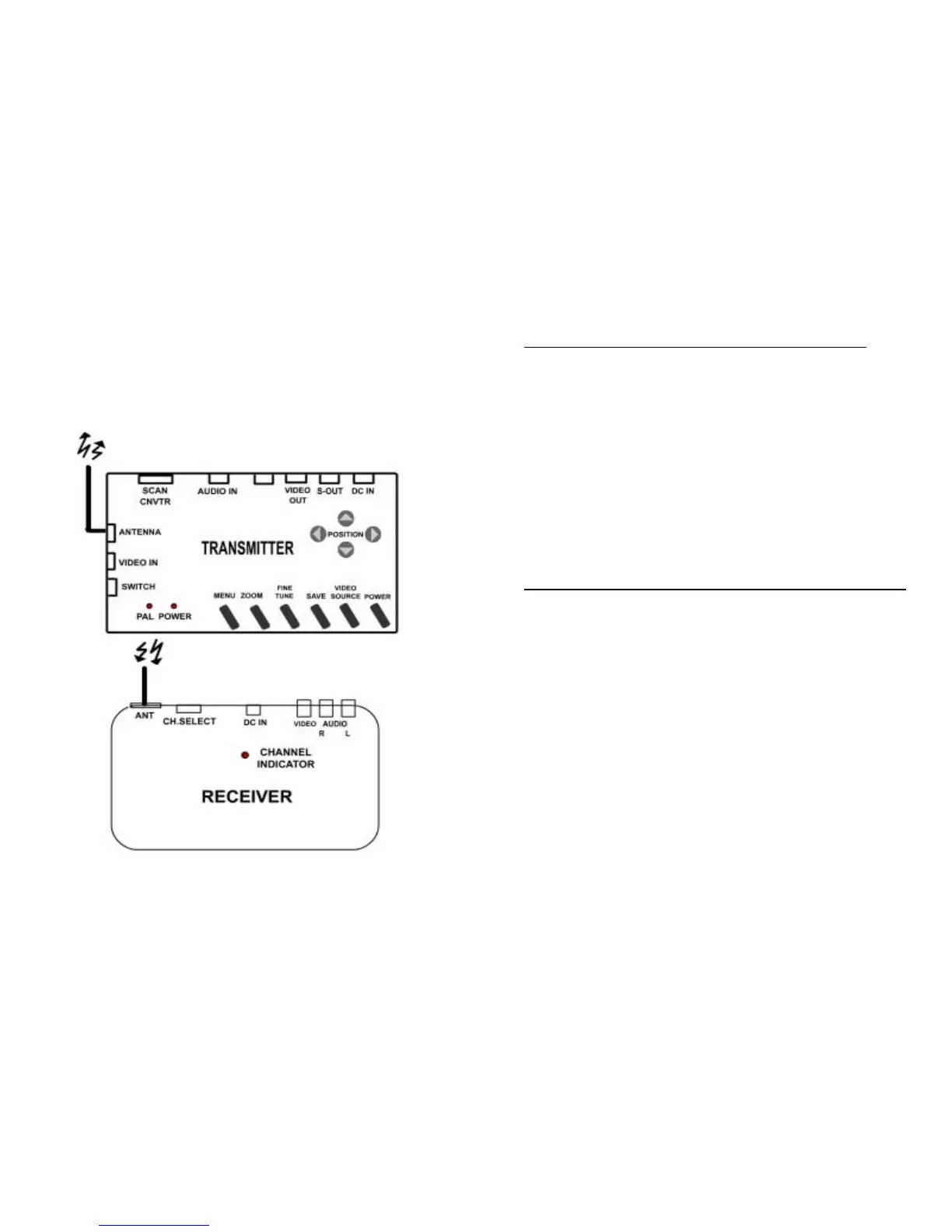
The following section shows the function of controlling the Grand ULTIMATE
WIRELESS. Refer to Figure 1 for the Outline of Grand ULTIMATE WIRELESS.
2.2 BUTTONS & SWITCH OF GRAND ULTIMATE WIRELESS
POWER : Toggle between power on & off.
VIDEO SOURCE : Toggles between displaying the converted computer
display and the video pass-through source.
SAVE: Press this button to save current display and position settings.
FINE TUNE : Press this to fine-tune the video image.
ZOOM : Toggle between Zoom and Normal display for converted computer
display.
MENU : Press button to cycle through the functions. The functions are Freeze,
HSIZE, VSIZE, Brightness, Contrast, Hue, Saturation, Video Standard, Flicker
OSD color & Reset.
POSITION : Press up, down, left and right button to adjust the position of the
converted TV display. These four buttons also are used to make adjustments
to the settings in the MENU.
FIG.1 Outline of Grand ULTIMATE WIRELESS
5 6



 To Next Page