
 Need help?
Do you have a question about the Grandstream Networks GHP620 and is the answer not in the manual?
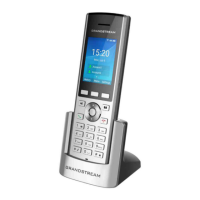
The Grandstream GHP6XX series of hotel phones, including models like the GHP610(W), GHP620(W), GHP611(W), and GHP621(W), are designed to be user-friendly IP phones suitable for various environments such as hotels, hospitals, apartments, and dormitories. These devices offer a blend of elegant design, compact footprint, and robust functionality, making them adaptable to different user needs and preferences. A key feature across the series is the integrated dual-band Wi-Fi (for GHP6XX/W models), providing flexible connectivity options.
The primary function of the GHP6XX series is to facilitate voice communication over IP networks. These phones support 2 SIP accounts/lines, allowing for multiple call handling capabilities. For the GHP61X models, there are 3 programmable keys, while the GHP62X models offer 6 programmable keys, enabling customization for various services or speed dial functions. Additionally, all models include 10-speed dial keys, enhancing quick access to frequently called numbers or services. Voice conferencing is supported for up to 3-way calls, making it easy to connect multiple parties. The phones are equipped with an HD speaker and utilize the full-band Opus voice codec, ensuring clear and high-quality audio. An advanced jitter-resilience algorithm is integrated, which allows the phones to maintain voice quality even with up to 30% packet loss, crucial for reliable communication in varying network conditions.
The GHP6XX series is designed for flexible deployment, supporting both desktop and wall-mounted installations. Powering options include Power over Ethernet (PoE) for GHP610, GHP611, GHP620, and GHP621 models, a power adapter for GHP610W, GHP611W, GHP620W, and GHP621W models, and a USB Type-C charger for GHP620, GHP621, GHP620W, and GHP621W models. This versatility ensures they can be integrated into diverse existing infrastructures.
The phones also incorporate several advanced telephony features. Users can perform basic call functions such as dial, answer, redial, flash, and hands-free operation. Voice mail access (with server support) is available, along with hold/unhold and mute/unmute functionalities. A flexible dial plan and speed dial server redundancy contribute to a robust and reliable communication experience. Fail-over call out ensures continuity in case of network issues. Support for multicast paging and E911 service further extends their utility in emergency and broadcast scenarios. The devices also feature a new voice message and mute LED indicator, providing clear visual cues for important notifications. For accessibility, the handsets are HAC/VCH (ADA) compliant, with a volume boost feature. A magnetic hook switch adds to the convenience and durability of the handset.
The GHP6XX series is designed for ease of use, with a straightforward interface for making and receiving calls. Users can initiate calls by either on-hook dialing (entering the number while the phone is idle and then picking up the handset or pressing the speaker button) or off-hook dialing (picking up the handset or pressing the speaker button first, then entering the number). Redialing the last number is simple, either by picking up the handset and pressing the redial key or by pressing the # key after composing the last number. The programmable keys (MPKs) can be configured for quick dialing of specific extensions or services, streamlining common tasks.
Receiving calls is intuitive; the phone rings with a selected ringtone, and users can answer by unhooking the handset or pressing the speaker button. During an active call, the phone allows for call waiting and holding. The hold button can be used to place a call on hold, and the flash key enables users to switch between calls or unhold a call. The mute button allows users to mute/unmute the microphone during a call, with an LED indicator showing the mute status.
Call transfer functionality is also available, supporting attended transfers. This allows a user to initiate a new call to a third party while the initial call is on hold, and then complete the transfer once the third party answers. If the third party does not answer or rejects the call, the user can retrieve the original call. Three-way conferencing can be set up, either by initiating a new call during an existing one and then long-pressing the flash button to merge the calls, or by merging two active calls.
The phones provide visual notification for new voicemails through a blinking green LED indicator. Users can access their voicemail by pressing the dedicated voicemail button. For configuration and information retrieval, the GHP6XX series supports IVR (Interactive Voice Response) button functions. Users can dial specific keypad codes to perform actions such as getting the IP address, modifying network settings (subnet mask, gateway, DNS servers), checking firmware version, viewing hardware part number, getting MAC address, and rebooting the device. These IVR functions offer a convenient way to manage basic settings without needing access to the web GUI.
Maintenance and management of the GHP6XX series are facilitated through several mechanisms. The devices are supported by the Grandstream Device Management System (GDMS), which provides a centralized interface for configuration, provisioning, management, and monitoring of Grandstream endpoints. This allows administrators to efficiently deploy and maintain multiple devices across a network.
For individual device management, the phones can be configured via a web browser. After ensuring the phone is powered up and connected to the internet, users can access the web configuration menu by typing the device's MAC address in the browser (e.g., https://<mac>.local). The default administrator username is "admin," and the default random password can be found on a sticker at the back of the unit. This web GUI provides comprehensive control over the phone's settings.
In terms of restoring the device to its default settings, two methods are available. Users can perform a factory reset via the keypad by entering a specific code (**37*{keypad password}#, with the default password being 123). Alternatively, a factory reset can be initiated through the web GUI by navigating to "Upgrade and Provisioning" -> "Advanced Settings" and clicking the "Start" button for "Factory Reset." It is important to note that a factory reset will erase all configurations, so backing up the configuration beforehand is recommended.
The GHP6XX series also supports firmware upgrades, which can be triggered via specific IVR codes or through the web GUI. This ensures that the devices can be kept up-to-date with the latest features, security patches, and performance improvements. The ability to configure VLAN ID via IVR codes also aids in network management and segmentation. The phones incorporate secure boot, random default passwords, unique security certificates per device, administrator-level passwords, 256-bit AES encrypted configuration files, SRTP, TLS, and 802.1x media access control, all contributing to a secure and robust communication environment.
 General
| Brand | Grandstream Networks |
|---|---|
| Model | GHP620 |
| Category | Telephone |
| Language | English |










 To Next Page