


 Need help?
Do you have a question about the Grandstream Networks GRP26 Series and is the answer not in the manual?
Details how to access the IP phone's Web GUI to configure settings, including steps and network requirements for BLF.
Details the process of configuring BLF using Virtual Multi-Purpose Keys on the phone's Web UI, including account, description, and value settings.
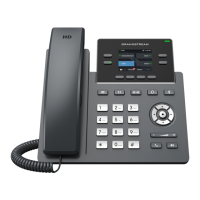
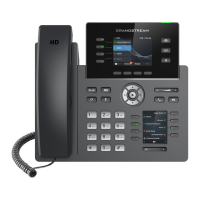
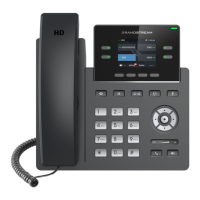
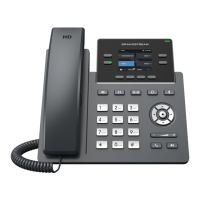
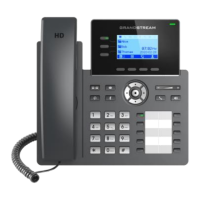
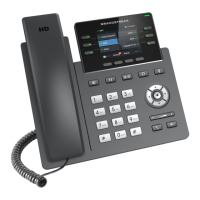
This document outlines the configuration and functionality of the Busy Lamp Field (BLF) feature on Grandstream GRP26XX Carrier-Grade IP phones. The BLF feature is designed to enhance communication efficiency, particularly for users like attendants who need to monitor the call status of multiple other users within a system. By providing real-time visual indicators and enabling directed call pickup, the GRP26XX phones facilitate a more responsive and organized communication environment.
The primary function of the BLF feature on Grandstream GRP26XX IP phones is to allow an end-user to monitor the hook status of a predefined list of other users. This monitoring capability is achieved through the Multi-Purpose Keys (MPKs) on the phone, which act as visual indicators. These MPKs change color and status to reflect the current state of the monitored extensions, providing an immediate visual cue to the attendant. Beyond simple monitoring, the system also supports directed call pickup, allowing the attendant to answer incoming calls for the monitored extensions when the intended recipient is unavailable. This dual functionality of monitoring and pickup makes the BLF feature a powerful tool for managing call flow and ensuring that important calls are not missed.
The usage features of the BLF functionality are centered around its visual indicators and the directed call pickup capability. The MPK indicators on the GRP26XX phones provide clear and intuitive visual feedback regarding the status of monitored extensions. For instance, a solid green light typically indicates that the monitored extension is idle, meaning it is not currently engaged in a call. When an extension is placing a call, the indicator changes to solid red, signaling that the line is in use. A blinking red light is used to signify an incoming call to the monitored extension, alerting the attendant that action may be required. If the monitored extension answers the call, the indicator will remain solid red, indicating an active conversation. Should the call be placed on hold by the monitored extension, the indicator will still show solid red. In cases where the monitored extension is not registered or the BLF subscription has failed, the indicator will be off, providing a clear sign of a potential issue. These distinct visual cues allow the attendant to quickly grasp the status of multiple lines at a glance, enabling them to prioritize and manage calls effectively.
The directed call pickup feature further enhances the utility of BLF. When an attendant observes a blinking red light on an MPK, indicating an incoming call to a monitored extension, they can tap the corresponding "Busy Lamp Field" MPK button to answer that call. This is particularly useful in scenarios where the monitored user is away from their desk or otherwise unable to answer, ensuring that calls are handled promptly and professionally. To enable this feature, a specific setting called "BLF Call-pickup" must be configured to "Force BLF Call-pickup by prefix" within the phone's web-based graphical user interface (GUI). This setting ensures that the phone system is prepared to allow an attendant to intercept calls intended for other extensions. The combination of clear visual status and the ability to pick up calls directly streamlines communication workflows and improves overall responsiveness within an organization.
Maintenance features for the BLF configuration primarily involve accessing and managing settings through the phone's web browser interface. The GRP26XX phones incorporate an embedded web server that responds to HTTP/HTTPS GET/POST requests, allowing for configuration via standard web browsers like Google Chrome or Mozilla Firefox. To access the web GUI, the user must ensure the computer is connected to the same network as the phone and then enter the phone's IP address into the browser's address bar. The IP address can be found through the phone's keypad menu under "Status => Network Status." Upon accessing the interface, users will need to log in using administrator credentials. There are two default password levels: "End User Level" with username "user" and password "123" (allowing access to "Status and Basic Settings"), and "Administrator Level" with username "admin" and password "admin" (allowing access to "Browse all pages"). The administrator level is required for configuring BLF.
Once logged in, the configuration process involves navigating to "Settings" and then "Programmable Keys" to access the "Virtual Multi-Purpose Keys" section. Here, users can edit individual Virtual Multi-Purpose Keys (VPKs) and set their "Mode" to "Busy Lamp Field (BLF)." For each BLF key, the user must select the "Account" associated with the IP PBX that carries the monitored extension, add a "Description" (e.g., the name of the individual or department), and enter the "Value" which is the extension number to be monitored. After making these changes, it is crucial to click "Save" and then "Save VPK" on the "Virtual Multi-Purpose Keys" page to apply the configurations. If more VPKs are needed than initially displayed, users can click "Add VPK" to configure dynamic VPKs. Any changes made in the web GUI require clicking "Save" or "Save and Apply" at the bottom of the page. If changes are only saved but not applied, an "APPLY" button at the top of the page must be clicked. While many settings, particularly those under "Accounts" and "Phonebook," do not require a reboot, some options under "Settings" might necessitate a phone reboot for the changes to take effect. This systematic approach to configuration ensures that BLF settings are correctly implemented and maintained. Regular checks of the BLF indicators can also serve as a maintenance step, verifying that the monitored extensions are correctly registered and their statuses are being accurately reported.
 General
| Protocols | TLS, SRTP, IPv6 |
|---|---|
| Network Interfaces | Dual 10/100/1000 Mbps Gigabit Ethernet ports |
| Voice Codecs | G.711μ/a, G.722 (wideband), G.729A/B, iLBC, Opus |
| HD Audio | Yes |
| Telephony Features | Hold, transfer, forward, call park, call pickup, call waiting, auto answer, hot-desking |
| PoE | IEEE 802.3af PoE |
| Security | TLS, SRTP, HTTPS, 802.1x |
| Voice Quality | AEC, CNG, VAD, AJB, PLC |
| QoS | Layer 2 QoS (802.1Q, 802.1P) and Layer 3 (ToS, DiffServ, MPLS) QoS |


 To Next Page