
 Need help?
Do you have a question about the Grandstream Networks GXP17 Series and is the answer not in the manual?
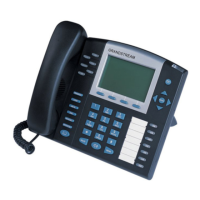
The Grandstream GXP21xx/17xx/16xx series of IP phones are designed to provide robust communication solutions, particularly through their Busy Lamp Field (BLF) feature. These enterprise IP phones are equipped to monitor the hook status of a list of users, making them ideal for roles such as attendants or receptionists who need to keep track of multiple extensions. The BLF functionality is visually represented through changes in the color and status of Multi-Purpose Keys (MPKs) and Virtual Multi-Purpose Keys (VPKs) on the phone body, as well as on mounted MPK expansion boards.
The primary function of these Grandstream IP phones, as highlighted in the provided document, is to facilitate efficient call management and monitoring through the BLF feature. This allows users to quickly ascertain the availability and call status of other extensions within their network. Beyond simple monitoring, the phones also support a "Directed Call Pickup" feature, enabling users to answer incoming calls for monitored extensions. This is particularly useful in scenarios where a called party is unavailable, allowing an attendant to intercept and handle the call. The BLF indicators provide real-time visual feedback on various call states, enhancing situational awareness for the user.
The document specifies that the GXP21xx/17xx/16xx series supports BLF on both Multi-Purpose Keys and Virtual Multi-Purpose Keys. For enhanced capacity, models like the GXP2140 and GXP2170 are expandable, supporting 1 to 4 expansion modules. These modules further extend the BLF monitoring capabilities. It's important to note that within the GXP16xx series, only the GXP1628 and GXP1630 models are equipped with BLF configuration support. The phones operate within a network environment, responding to HTTP/HTTPS GET/POST requests via an embedded Web server, which allows for configuration through standard web browsers.
Configuration of the BLF feature is primarily done through the phone's Web Graphical User Interface (GUI). Users can access the Web GUI by connecting their computer to the same network as the phone and entering the phone's IP address into a web browser. The login process requires an administrator's username and password, with default credentials provided (user/123 for End User Level, admin/admin for Administrator Level). Once logged in, users navigate to the "Settings" menu, then "Programmable Keys," and select "Busy Lamp Field (BLF)" for the desired key. They can then associate an account, add a descriptive name (e.g., "James"), and input the extension number to be monitored (e.g., "5001"). After saving the changes, the BLF feature becomes active.
The visual indicators are a key usage feature, providing immediate feedback on the status of monitored extensions:
The Directed Call Pickup feature is activated when a monitored user's indicator is blinking red, signifying an incoming call. By tapping the "Busy Lamp Field" MPK/VPK button, the user can answer the call for the monitored extension.
While the document doesn't explicitly detail extensive maintenance features, it outlines the process for configuring and managing the BLF settings. This configuration process itself can be considered a form of maintenance, allowing administrators to update and adjust monitoring parameters as needed. The Web GUI provides a centralized interface for these adjustments. The document also advises on best practices for applying changes: always "SUBMIT" or "Save and Apply" changes, and if changes are only saved, an "APPLY" button on top of the page should be clicked. Rebooting the phone may be necessary for some changes to take effect, particularly those under "Settings," though "Accounts" and "Phonebook" page options typically do not require a reboot. The availability of an "Admin Logout | Reboot | Provision Factory Reset" option in the Web GUI header suggests basic device management capabilities, including the ability to reset the phone to factory defaults if necessary for troubleshooting or redeployment. The mention of downloading the latest "Administration Guide" and "User Guide" from the Grandstream website implies that ongoing support and detailed troubleshooting information are available for maintaining the devices.
 General
| Brand | Grandstream Networks |
|---|---|
| Model | GXP17 Series |
| Category | IP Phone |
| Language | English |





 To Next Page