Chapter Topics
Book Topics
GrIP User’s Guide
Chapter 5 – GrIP Software
✳ You can assign different button definitions to each GrIP controller.
6. Select File/Configure GrIP to load the settings into your attached
GrIP controllers.
Note: If you skip this step, keyboard emulation will not work.
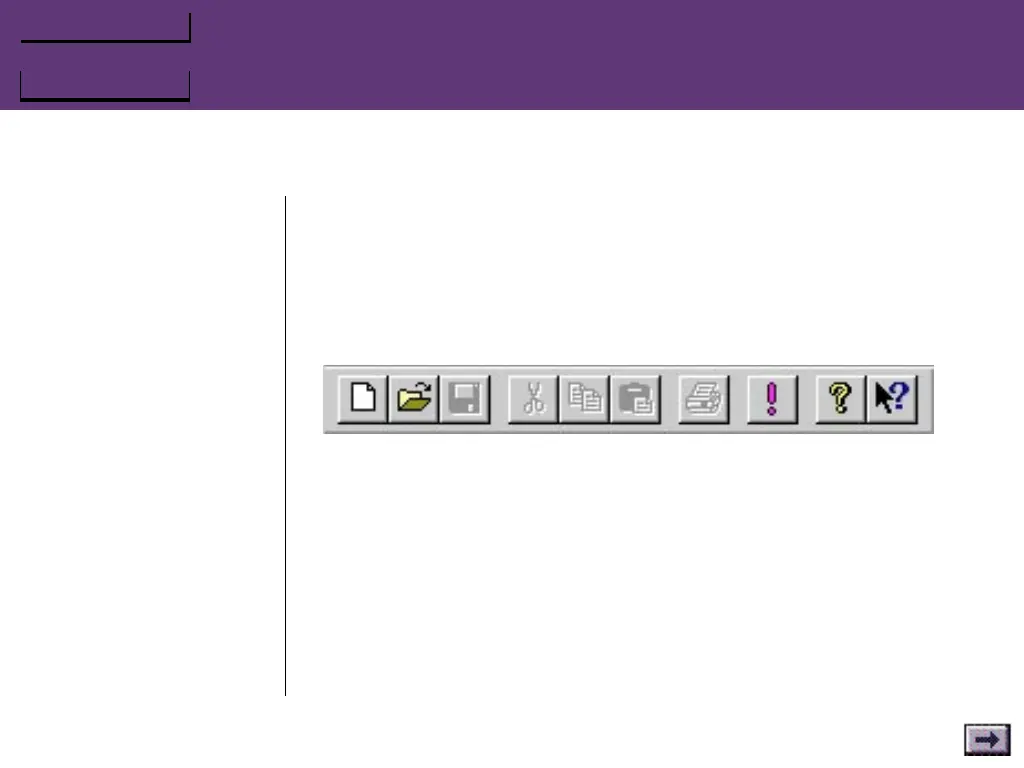
The Main Toolbar
New Open Save Cut Copy Paste Print Keyboard Help
Emulation On/Off
New
Click on the New tool to open a new, untitled GrIP control Keyset
window.
Open
Click on the Open tool to open an existing Keyset window.
Save
Click on the Save tool to save the active set.
...GrIPKey Keyboard Emulation Software, Cont’d.



 To Next Page