Chapter Topics
Book Topics
GrIP User’s Guide
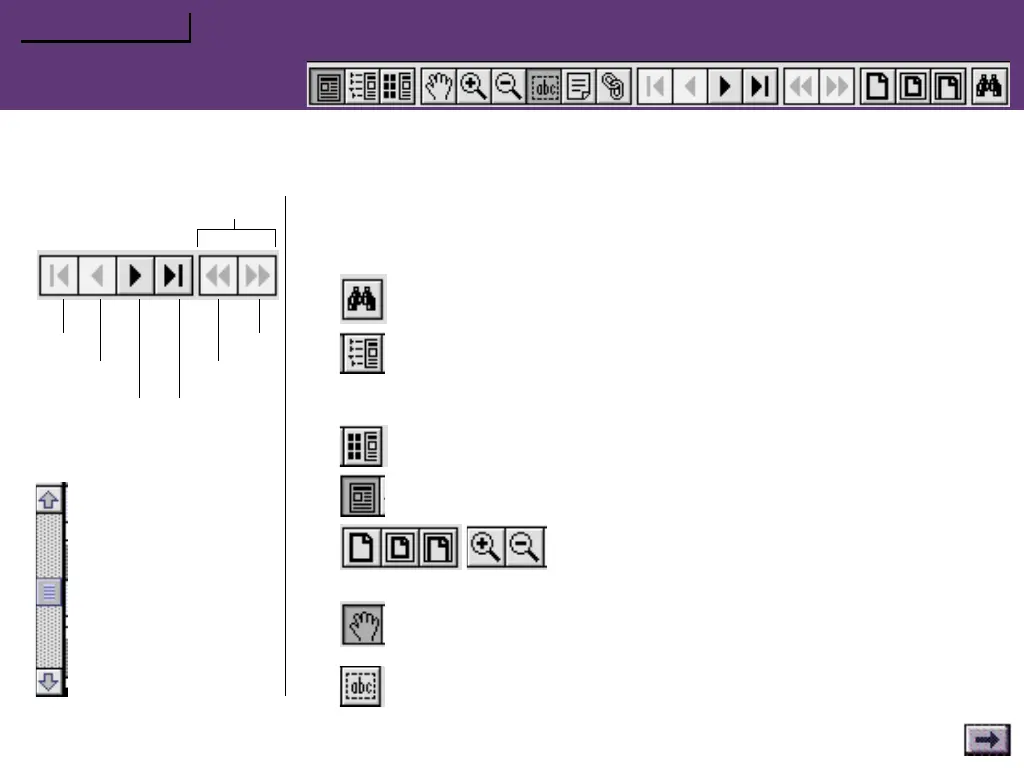
This guide is designed to make information easy to find. Read it “cover to
cover” like a book if you like. Use the navigating buttons or the scroll bar to
page through the guide.
To retrace your steps:
Navigating Buttons
forward
to page 1
go back
back 1 page
skip to last page
forward 1 page
Scroll Bar
Click the up arrow or
drag the slider up to
move back.
Click the down arrow
or drag the slider down
to move forward.
Click the Find button to search for a specific topic.
Click the Bookmarks button to view the complete Contents list.
In the Contents (“Bookmarks”) list, click the triangles to view subtop-
ics, and double-click a topic to skip to that page in the guide.
Click the Thumbnails button to view small previews of each page.
Click the Page View button to return to the default view.
Click the Resize or Zoom buttons to change the
page view size.
Use the Hand tool to move a document page on-screen when it does
not fit within the window. Drag the hand tool in the direction you
want to move the page.
Use the Text tool to select text to copy.
How to Use this Guide



 To Previous Page