SET:
D-4 TIMING SETTING
32
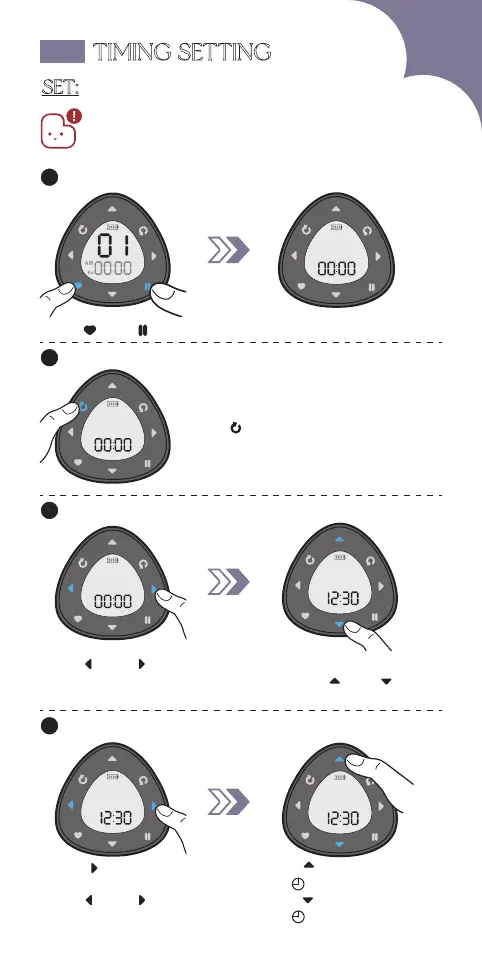
Enter timing setting.1
Hold" " & " " for 3s
Add new timing.2
Hold " "
Set Time.
3
Press" " or " " to switch
between hr and min,
the selected part will be flashing.
Press " " or " " to
select the numbers.
Set AM/PM.4
AM PM
PM
Press " " and enter into
AM/PM selection.
Press" " or " " to choose.
Press " " to save
and " " icon will show up.
Press " " to cancel
and " " icon will disappear.
1. You can set at most 20 groups of timing for each remote.
2. Please ensure the remote is not in setting mode
before setting timing. If it's in setting mode,
please refer to page 30 to exit setting mode.



 To Next Page