5
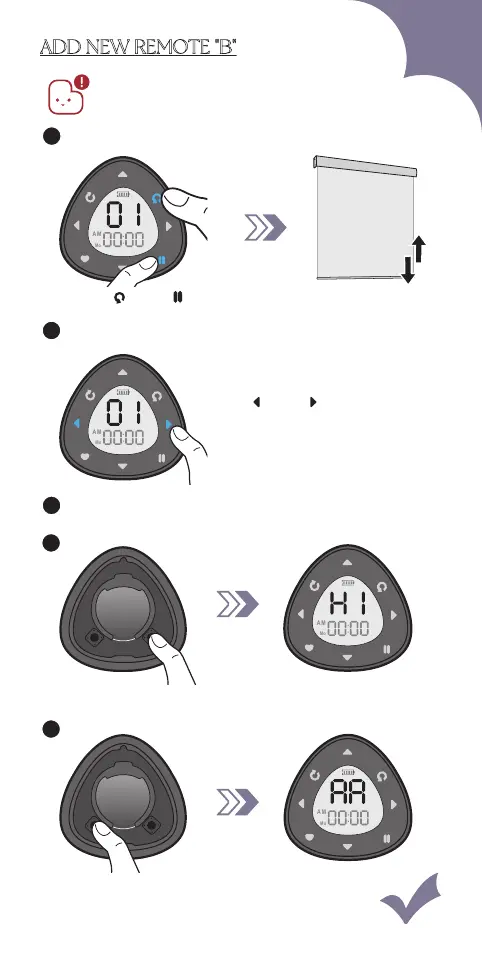
Press "P1" "AA" shows on the screen
+
Lithium Cell
CR2450
3V
P1
P2
ADD NEW REMOTE "B"
Please ensure the remote is in setting mode
before doing steps below:
3
"B" Enter setting mode, refer to Page 30.
Blind jogs
1x
1
Press " " & " "
Paired remote "A"
A
Press " " or " ",
choose the channel number.
2
Unpaired remote "B"Unpaired remote "B"
B
Press "P2" 1x
+
Lithium Cell
CR2450
3V
P1
P2
"H1" shows on the screen
4
B B
43



 To Next Page