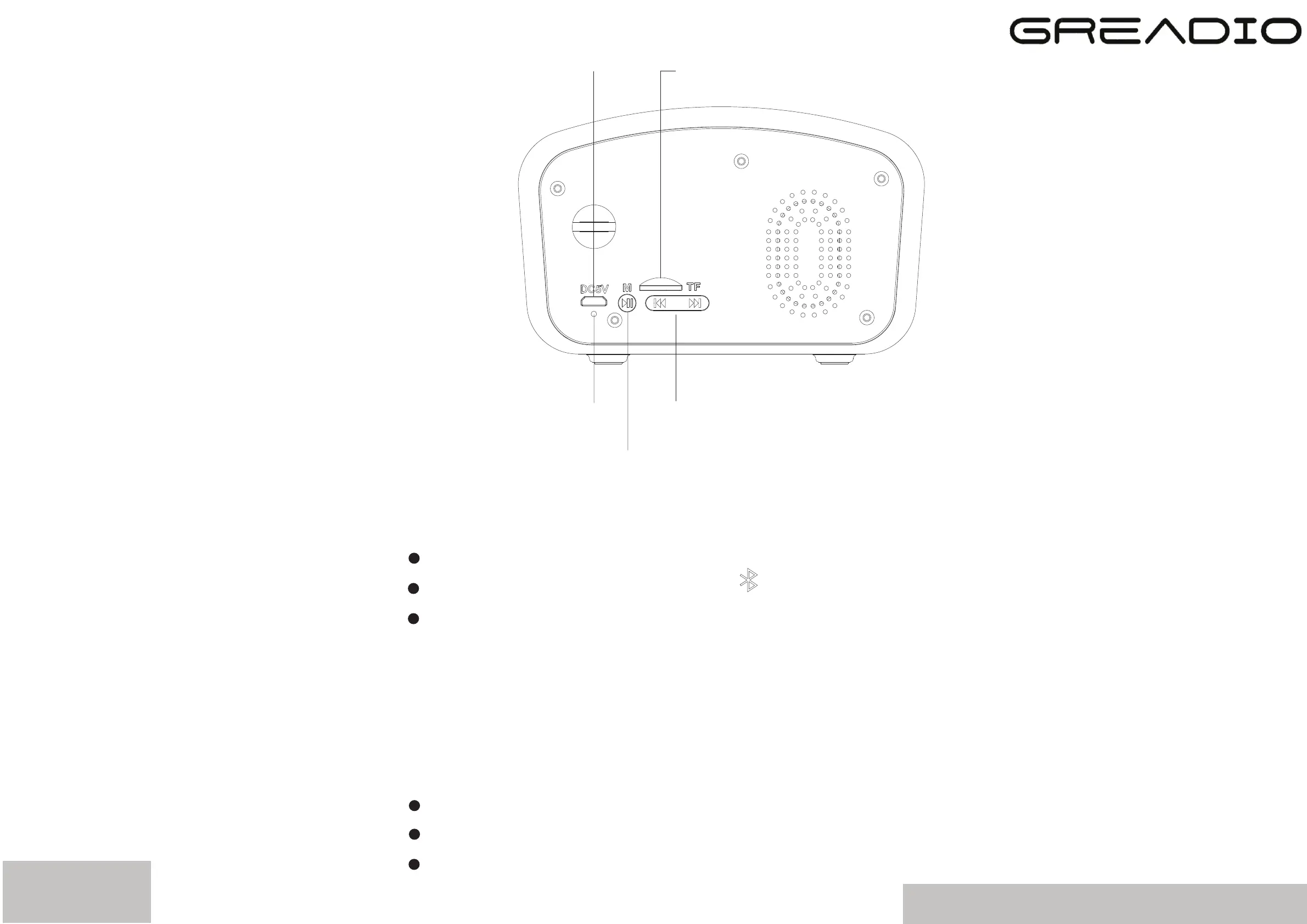
TF card socket
USB charging socket
Charge indicator
Play button/Pause
Previous and next button
TF Card Player
Insert TF Card to socket
Turn the power switch to “ ”
Long press the play button “M”, it will
automatically play music
Note:This product have memorize playback
function.
AUX Player
Turn the power switch to “AUX”
“AUX Input Mode” will be heard after 3s
Insert the supplied AUX cable to connect your
phone, or TV etc.
info@thegreadio.com
page4


 To Next Page