Home Screen
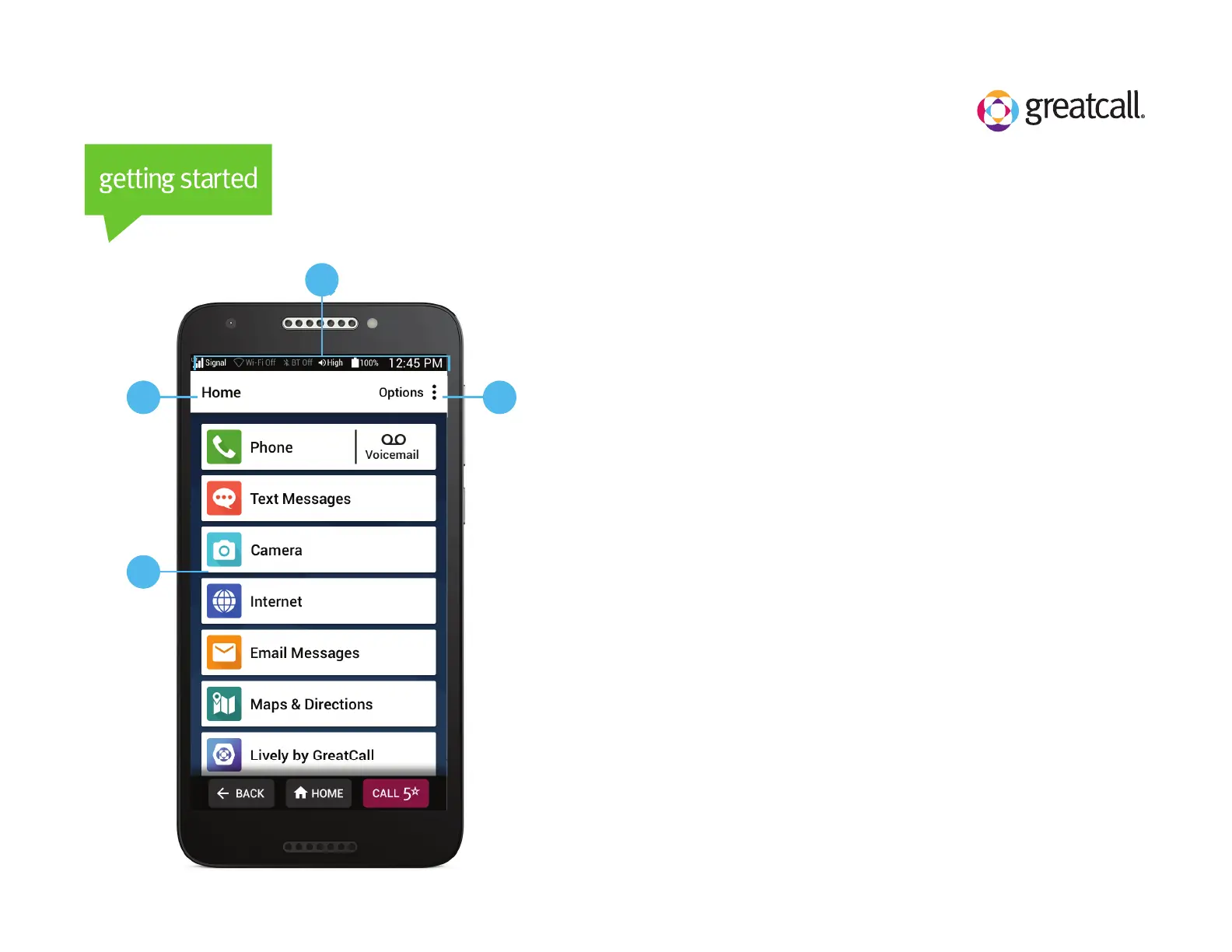
Understanding your Jitterbug Smart Home Screen
A) Title Bar – Name of the screen you are viewing.
B) Status Bar – Shows you wireless connectivity, ringer
volume, battery and current time information.
C) Options – TAP to view more options relevant to the
screen you are currently viewing.
D) App List – A list of the apps you use most.
A
D
B
C



 To Next Page