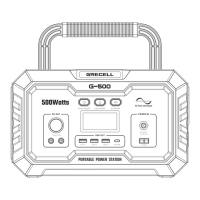
G-500 Will Not Charge Or Operate connected devices:
Ensure that the DC/USB/AC output ports are activated. Confirm the connected
device is suitable for the G-500 by reviewing the output specifications provided
in the General Specifications section. Confirm G-500 is charged by reviewing
the Battery Level Indicator. Verify the watt data displayed on the Status Indicator
I/J/K of LCD Screen for overload condition.
G-500 Will Not Charge:
Confirm that the wall plug power adapter's cord is inserted fully into the DC
Input. Confirm that the AC wall plug power adapter is the charger provided
with G-500. If the input does not comply with the requirements located in the
General Specifications section, the Low Watt range 0 to 10 may be displayed on.
Troubleshooting
- 9 -
A photovoltaic panel as input for charging the internal battery shall be provided
with an inverter and/or a charge controller in accordance with UL 1741 or UL
62109-1; The external power supply shall be a power source in accordance
with the Standard UL 60950-1 and CAN/CSA C22.2 No. 60950-1, or UL 1310
and No. 1, CAN/CSA C22.2 No. 223, or No.1, CAN/CSA C22.2 No. 223; A
vehicle adapter that complies with the enclosure and input contacts
requirements in the Standard for Vehicle Battery Adapters, UL 2089, and
Power Supplies, CAN/CSA C22.2 No. 107.1. The connector plug shall
incorporate a fuse or other protective device having a current rating not
greater than 15 A.
INSTRUCTIONS PERTAINING TO RISK OF FIRE, ELECTRIC SHOCK, OR
INJURY TO PERSONS.
IMPORTANT SAFETY INSTRUCTIONS
1. WARNING – When using this product, basic precautions should always be
followed, including the following:
a) Read all the instructions before using the product.
b) To reduce the risk of injury, close supervision is necessary when the product
is used near children.
c) Do not put fingers or hands into the product.
d) Use of an attachment not recommended or sold by power pack
manufacturer may result in a risk of fire, electric shock, or injury to persons.
e) To reduce the risk of damage to the electric plug and cord, pull the plug
rather than the cord when disconnecting the power pack.
f) Do not use a battery pack or appliance that is damaged or modified. Damaged
or modified batteries may exhibit unpredictable behavior resulting in fire,
explosion, or risk of injury.
g) Do not operate the power pack with a damaged cord or plug, or a damaged
output cable.
h) Do not disassemble the power pack, take it to a qualified service person
Note


 To Next Page
 Loading...