EasyManua.ls Logo

GRECELL T500 - Product Recharging and Storage; Recharging Precautions; Storage and Transportation Guidelines; Cleaning Instructions

GRECELL T500
13 pages
Print Icon
To Next Page IconTo Next Page
To Previous Page IconTo Previous Page
Loading...
A
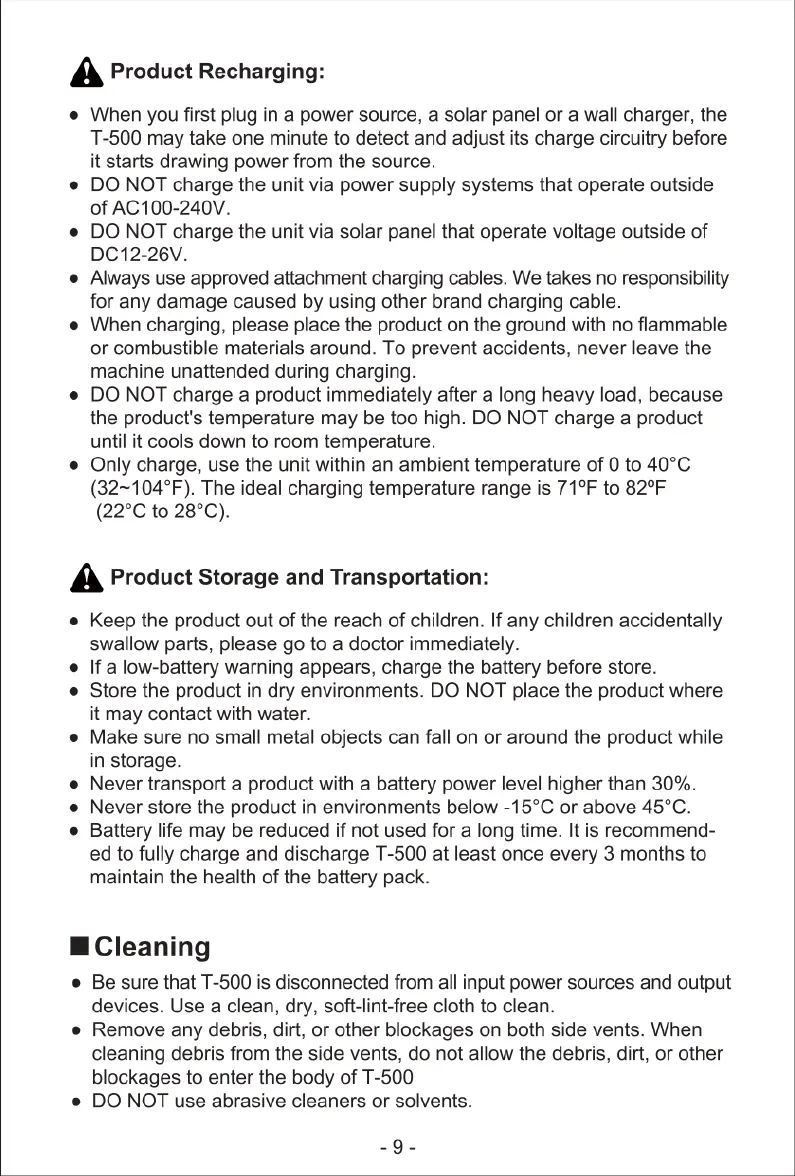
Product
Recharging:
e
When
you
first
plug
in
a
power
source,
a
solar
panel
or
a
wall
charger,
the
T-500
may
take
one
minute
to
detect
and
adjust
its
charge
circuitry
before
it
starts
drawing
power
from
the
source.
e
DO
NOT
charge
the
unit
via
power
supply
systems
that
operate
outside
of
AC100-240V.
e
DO
NOT
charge
the
unit
via
solar
panel
that
operate
voltage outside
of
DC12-26V.
e
Always
use
approved
attachment
charging
cables.
We
takes
no
responsibility
for
any
damage
caused
by
using other
brand
charging
cable.
e
When
charging,
please
place
the
product
on
the
ground
with no
flammable
or
combustible
materials
around.
To
prevent
accidents,
never
leave
the
machine
unattended
during
charging.
e
DO
NOT
charge
a
product
immediately
after
a
long
heavy
load,
because
the
product's
temperature
may
be too high.
DO
NOT
charge
a
product
until
it
cools
down
to
room
temperature.
e
Only
charge,
use
the
unit
within
an
ambient
temperature
of
0
to
40°C
(32~104°F).
The
ideal
charging
temperature
range
is
71°F
to
82°F
(22°C
to
28°C).
A
Product
Storage
and
Transportation:
e
Keep
the
product
out
of
the
reach
of
children.
If
any
children
accidentally
swallow
parts,
please
go
to
a
doctor
immediately.
o
[f
a
low-battery
warning
appears,
charge
the
battery
before
store.
e
Store
the
product
in
dry
environments.
DO
NOT
place
the
product
where
it
may
contact
with
water.
e
Make
sure
no
small
metal
objects
can
fall
on
or
around
the
product
while
in
storage.
e
Never
transport
a
product
with
a
battery
power
level
higher
than
30%.
e
Never
store
the
product
in
environments
below
-15°C
or
above
45°C.
e
Battery
life
may
be
reduced
if
not
used
for
a
long
time.
It
is
recommend-
ed
to
fully
charge
and
discharge
T-500
at
least
once
every
3
months
to
maintain
the
health
of
the
battery
pack.
H
Cleaning
e
Be
sure
that
T-500
is
disconnected
from
all
input
power
sources
and output
devices.
Use
a
clean,
dry,
soft-lint-free
cloth
to
clean.
e
Remove
any
debris,
dirt,
or
other
blockages
on
both
side
vents.
When
cleaning
debris
from
the
side
vents,
do
not
allow
the
debris,
dirt,
or
other
blockages
to
enter
the
body
of
T-500
e
DO
NOT
use
abrasive
cleaners
or
solvents.
_9-

Related product manuals