48
Installation and Maintenance
Service Manual
Steps Procedure
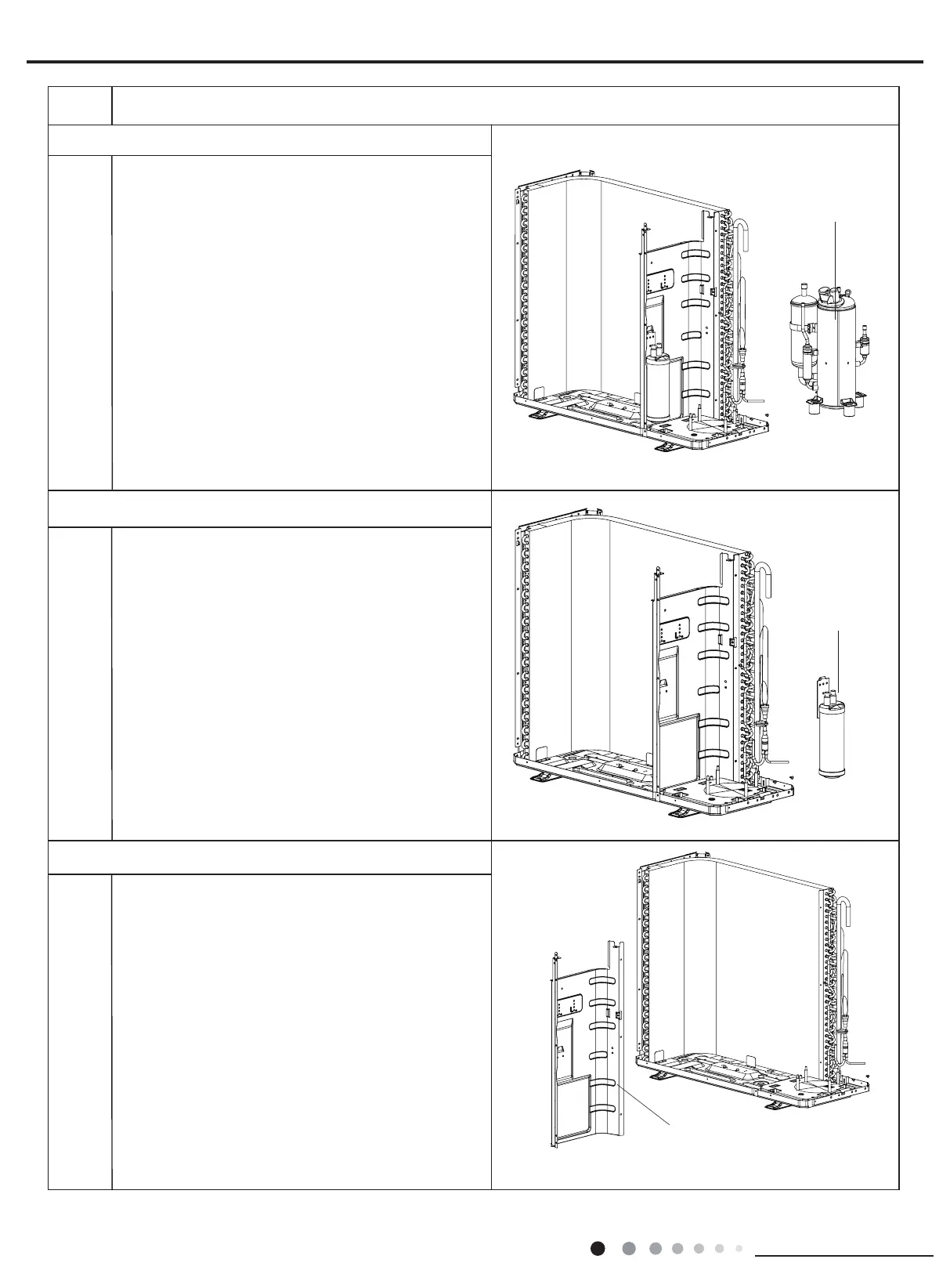
Remove screws connecting middle isolation sheet
and support plate of condenser, chassis, and then
remove the middle isolation sheet.
13. Remove compressor
compressor
Remove the 3 foot nuts xing compressor and then lift
the compressor upwards to remove the compressor
and damping cushion.
Note:
Keep the ports of discharge pipe and suction pipe from
foreign objects.
15. Remove middle isolation sheet
14.Remove vapour liquid separator
Unsolder spot welds connected with vapour liquid
separator, remove 2 foot nuts fixing vapour liquid
separator and compressor mounting plate sub-assy, and
then remove the vapour liquid separator.
vapour liquid
separator
middle isolation
sheet


 To Next Page
 Loading...