Need help?
Do you have a question about the Green Blue GB522 and is the answer not in the manual?
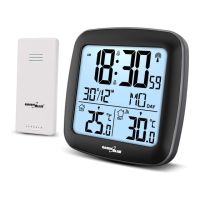
Details base station and wireless outdoor sensor specifications and capabilities.
Identifies and describes the components of the base station's Positive LCD.
Details the buttons and power input options on the rear of the base station.
Lists and explains the various parts and controls of the wireless outdoor sensor.
Guide for powering on the base station and outdoor sensor and initial signal acquisition.
Explains how the base station receives signals from wireless sensors.
Step-by-step instructions for connecting the base station to a WiFi network using the LivingSense app.
Procedure for manually setting the time, date, time zones, and display units.
How to set the display units for temperature (°C/°F) and pressure (mb/hPa/inHg/mmHg).
Description of the automatic display of current lunar phases.
Details on displaying indoor/outdoor temp, humidity, barometric pressure, and trends.
How to view and reset maximum and minimum temperature and humidity data.
Indicates the display of an ICE symbol when outdoor temperature is near freezing.
Explanation of the 12-hour weather forecast based on barometric pressure trends.
 General
| Brand | Green Blue |
|---|---|
| Model | GB522 |
| Category | Weather Station |
| Language | English |

 To Next Page