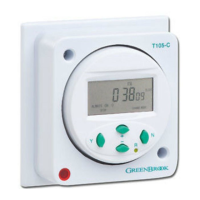
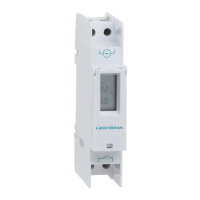
MANUAL OVERRIDE
SUMMER TIME SETTING
TECHNICAL INFORMATION
RESET
TIMER COUNTDOWN
F
UNCTION
READING YOUR
PROGRAMMED TIMES
1
. Timer has a 100 hour countdown feature
i.e. the timer can be set to any period
from 1 minute to 100 hours and will
countdown in the ON state and turn OFF
a
t the end of the countdown period.
2. Press the Y button then use the + or -
button to select the “down” icon on the
right hand side of the display, press Y
again to enter the countdown mode.
3. Use the + or - button to adjust the hours
and press Y to confirm. minutes will flash.
4. Use the + or - button to adjust the
minutes and press Y to confirm and
complete the countdown time setting.
5. Press the N button to start the
countdown.
6. Output switched to ON during the
countdown period.
7. Press the N button to pause the
c
ountdown (output switched to OFF)
8. To resume countdown simply press the N
button again.
9. Press and hold the N button for more
than 3 seconds to exit the countdown
function.
CE INFORMATION
ACTION TYPE: IB
POLLUTION SITUATION: NORMAL
CLASS 2 INSULATION:
:MICRO-DISCONNECTION LIVE
POLE ONLY
1. When in normal clock mode, pressing
the N button will scroll through the
following switching options.
• ALWAYS ON - timer is permanently ON.
• PROG - timer is in programme ON
mode, will switch off at the next
programme OFF time.
• ALWAYS OFF - timer is permanently OFF.
• PROG - timer is in programme OFF
mode, will switch on at the next
programme ON time.
1. Press the Y button, then use the + or -
buttons to scroll through to “summer”
(flashing).
2. Press the Y button again to access the
summer time setting.
3. Press the + or - button to change
between summer on or off.
4. Press Y to confirm summer setting, time
will advance 1 hour.
5. A “SUMMER” icon will appear in the
display.
6. Use the same procedure to remove the
“SUMMER” icon when reverting to GMT
in the winter.
6. Timer will now operate in the random
mode.
7
. To cancel random feature use the
procedure above to remove the
“RANDOM” icon from the display.
Pressing the reset button R with a pencil or
similar will reset all programmed times and
s
et time of day to zero.
1. Press Y button twice to enter programme
mode.
2
. Press the + or - buttons to scroll through
the 24 ON/OFF programmes to check
settings.
3. Press the N button to exit and revert to
c
lock mode.
Switching Capacity: 230V AC,16A resistive,
2A Inductive
Ambient Temperature: -10°C to + 55°C
Battery Back Up: 150 hours
Memory Location: 24
Shortest Switching Time: 1 minute
Wattage: 3000W
Conforms To: BS EN 60730-1,
BS EN 60730-2-7
RANDOM SETTING
The random setting allows the timer to
switch ON and OFF with a random delay of
between 2 and 32 minutes. This function will
only
operate if one or more programmes have
been programmed into the timer.
1. Press the Y button, then use the + or -
buttons to scroll through to “RANDOM”
(flashing).
2. Press the Y button again to access the
random setting.
3. Pressing the + or - buttons will toggle the
random icon on and off.
4. Press the Y button to confirm random
function.
5. A “RANDOM” function icon will appear
in the display.
Issue no: 704704
WEST ROAD . HARLOW
ESSEX . CM20 2BG . UK
info@greenbrook.co.uk
www.greenbrook.co.uk
GUARANTEE
Your GreenBrook 7 Day Electronic Timer
is guaranteed for 1 year from
the date of purchase.
This is in addition to your statutory rights.
PLEASE KEEP THESE INSTRUCTIONS
SAFE FOR FUTURE REFERENCE


 To Previous Page
 Loading...