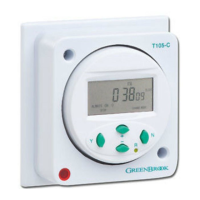
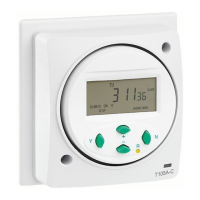
The Greenbrook T80-C is a DIN-rail mounted electrical timer designed for controlling various electrical systems. It functions as a programmable switch, allowing users to set specific "ON" and "OFF" times for connected devices. This makes it suitable for applications requiring automated control of lighting, heating, or other electrical loads.
Function Description:
The core function of the T80-C is to provide timed switching operations. It allows for the programming of up to six "ON" and "OFF" switching times, offering flexibility in scheduling. The timer operates on a 230V 50/60 Hz power supply and features a 100-hour reserve, ensuring that programmed settings are retained even during power outages.
Important Technical Specifications:
- Power Supply: 230V 50/60 Hz
- Reserve: 100 hours (maintains settings during power loss)
- Contact Type: Volt-free contact
- Switching Capacity:
- 16A Resistive (up to 240V)
- 2A Inductive (up to 240V)
- Mounting: DIN-rail
- Number of Programs: Up to 6 "ON" and "OFF" switching times
Usage Features:
The T80-C offers a user-friendly interface for setting the current time, day, and switching programs.
- Setting Current Time and Day:
- To set the current time, press and hold the "Day" button.
- Use the "h+" button to adjust hours and the "m+" button to adjust minutes.
- Press the "Day" button repeatedly to cycle through and set the current day.
- Setting Switching Times (6 ON/OFFs available):
- Press the "Timer" button once to enter the programming mode for "ON" times.
- Use the "h+" button to set the desired hour and the "m+" button to set the minutes for the "ON" time.
- Press the "Day" button to select the specific days of the week for this "ON" program.
- Press the "Timer" button again to move to setting the corresponding "OFF" time.
- Repeat the process using "h+", "m+", and "Day" buttons to set the "OFF" time and days.
- Pressing the "Timer" button repeatedly will cycle through the available program slots (Program 1 ON, Program 1 OFF, Program 2 ON, Program 2 OFF, etc.) up to six programs.
- Reviewing Switching Times:
- To review all programmed switching times, press the "Timer" button repeatedly.
- To exit the review mode, press the "Day" button.
- Override Function: The timer includes an override switch. If an "ON" time is set before the current time, the timer will not switch on until the next day's programmed "ON" time. The override switch allows immediate activation, and the timer will then turn off at the next programmed "OFF" time.
Important Usage Notes:
- If an "ON" time is set for a time that has already passed on the current day, the timer will not activate until the next day's programmed "ON" time. The override function can be used to bypass this.
- The device uses "Volt Free Contacts," meaning there is no inherent voltage across terminals 3 and 4. Users must supply their own signal voltage to terminal 3 to switch the desired system. The voltage present across these terminals will be whatever the user supplies.
- It is crucial to ensure that the load connected across terminal 3 is protected by an appropriate circuit breaker, adhering to the latest electrical regulations.
Maintenance Features:
While the manual does not explicitly detail user-level maintenance, it provides critical installation guidelines that contribute to the longevity and safe operation of the device.
Installation Guidelines (Important for Maintenance and Safety):
- Ventilation: The T80-C is not suitable for mounting in distribution boards or consumer units where good ventilation cannot be ensured. Adequate airflow is necessary to prevent overheating and potential damage to the unit.
- Proximity to Contactors: Do not mount the timer within 50mm of a contactor. Contactors can generate electromagnetic interference and heat, which could negatively impact the timer's performance and lifespan.
- Professional Installation: The manual repeatedly stresses that the unit should be installed according to current IEE wiring regulations. If there is any doubt regarding installation, a qualified electrician should be consulted. This ensures safe and correct wiring, preventing electrical hazards and ensuring the device operates as intended.
The Greenbrook T80-C is a robust and programmable timer designed for reliable automated control in various electrical installations, emphasizing safe and compliant installation practices.

 Need help?
 General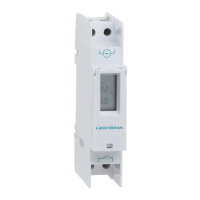

 To Next Page