Need help?
Do you have a question about the Green Brook T105A-C and is the answer not in the manual?
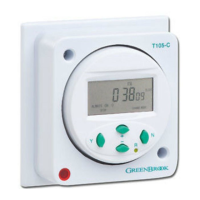
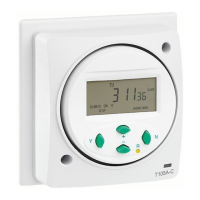
The GreenBrook Electrical T105A-C is a 7-day electronic socket box timer designed for controlling electrical appliances with scheduled on/off switching. This device requires installation according to current IET wiring regulations, and users are advised to consult a qualified electrician if in doubt. For safe operation, the timer must not be mounted on a flammable surface or come into contact with combustible materials like towels or bedding. A minimum air space of 300mm around the timer is also required.
Installation involves preparing cable ends for connection to terminals, then removing two screws to detach the timeswitch cover from the backplate. The cover remains connected by its wires, and these fixed connections should not be interfered with. All earth wires must be connected to the earthing point in the wall box. The backplate is then offered up to the wall box, and wiring is connected as per the provided diagram: Neutral from mains and to appliance (terminal 1), Live in from mains (terminal 2), Live output to appliance (terminal 3), and terminal 4 is not used. It is crucial to ensure all terminal screws are fully tightened. Once wiring is complete, the backplate is screwed to the wall box using 3.5mm screws. The timeswitch is then pushed back into its seating on the backplate, ensuring all wires are tucked in, and the cover is fitted and secured with the two screws.
Before initial use, the timer should be reset to its default settings by pressing the 'R' button with a pencil or similar pointed instrument. This action will delete all previously stored programmes.
Setting the current time and day is the first step after resetting. Press 'Y' to enter function setup. If no other button is pressed within 10 seconds, the display will revert to the normal screen. Use the '+' or '-' button to scroll to the flashing clock icon and press 'Y' to enter the current time setting mode, where hours will flash. Holding the '+' or '-' buttons for more than 3 seconds will activate fast scroll mode. Adjust the hours using '+' or '-' and press 'Y' to confirm; minutes will then flash. Adjust the minutes and press 'Y' to confirm; the day will then flash. Adjust the day and press 'N' to exit.
The timer offers 24 ON/OFF programmes. To program switching times, press the 'Y' button twice to enter programming setting mode. Again, if no other button is pressed within 10 seconds, the display will revert to the normal screen. The default is programme 01 ON, which can be changed by pressing '+' or '-' to scroll through the 24 ON/OFF programmes. Pressing 'Y' confirms the selected programme. Press 'Y' again to confirm programme 01 ON, and hours will flash. Adjust the hours using '+' or '-' and press 'Y' to confirm; minutes will flash. Adjust the minutes and press 'Y' to confirm; days will flash. The timer supports various day combinations for programming, including individual days of the week, or blocks such as Monday to Sunday, Monday to Friday, Saturday to Sunday, Monday to Saturday, Monday + Wednesday + Friday, Tuesday + Thursday + Saturday, and Monday + Tuesday + Wednesday + Thursday + Friday + Saturday. Select the desired day or day block and press 'Y' to confirm. Press '+' to select programme 01 OFF, then press 'Y' to confirm. Follow the same steps as for setting the ON time to set the 01 OFF programme, ensuring the day or day block matches the ON programme. If no more programmes are needed, press 'N' to exit. To add more programmes, follow the steps from selecting programme 01 ON. To cancel a programmed event, press and hold the 'N' button for more than 3 seconds when the desired programme number is flashing. For example, to cancel programme 01 ON, press 'Y' twice and hold 'N' for over 3 seconds. Pressing '+' will then select 01 OFF, which can also be deleted by repeating the process. This procedure can be repeated for any of the 24 programmes.
The timer includes a countdown function, allowing it to be set for any period from 1 minute to 100 hours. It will switch ON for the duration of the countdown and then switch OFF at the end. To use this, press 'Y', then use '+' or '-' to select the "down" icon on the right side of the display. Press 'Y' again to enter countdown mode. Adjust the hours using '+' or '-' and press 'Y' to confirm; minutes will flash. Adjust the minutes and press 'Y' to confirm and complete the countdown time setting. Press 'N' to start the countdown. The output will switch to ON during this period. Press 'N' to pause the countdown (output switches to OFF), and press 'N' again to resume. To exit the countdown function, press and hold 'N' for more than 3 seconds.
A manual override feature allows temporary control of the output. In normal clock mode, pressing the 'N' button cycles through different switching options: "ALWAYS ON" (timer is permanently ON), "PROG" (timer is in programme ON mode and will switch off at the next programmed OFF time), "ALWAYS OFF" (timer is permanently OFF), and "PROG" (timer is in programme OFF mode and will switch on at the next programmed ON time).
For summer time adjustment, press 'Y', then use '+' or '-' to scroll to "summer" (flashing). Press 'Y' again to access the summer time setting. Use '+' or '-' to toggle between summer on or off. Press 'Y' to confirm the setting, and the time will advance by 1 hour. A "SUMMER" icon will appear on the display. To revert to GMT in winter, follow the same procedure to remove the "SUMMER" icon.
The random setting allows the timer to switch ON and OFF with a random delay of between 2 and 32 minutes. This function only operates if one or more programmes have been set. To activate, press 'Y', then use '+' or '-' to scroll to "RANDOM" (flashing). Press 'Y' again to access the random setting. Use '+' or '-' to toggle the random icon on and off. Press 'Y' to confirm the random function. A "RANDOM" function icon will appear on the display, and the timer will operate in random mode. To cancel this feature, use the same procedure to remove the "RANDOM" icon from the display.
To review programmed times, press 'Y' twice to enter programme mode. Use '+' or '-' to scroll through the 24 ON/OFF programmes to check their settings. Press 'N' to exit and return to clock mode.
Maintenance involves ensuring all terminal screws are fully tightened during installation. The device is guaranteed for 1 year from the date of purchase, which is in addition to statutory rights. Users are advised to keep the instructions safe for future reference.
 General
| Voltage | 120V AC |
|---|---|
| Voltage Rating | 120V |
| Amperage | 15A |
| Total Timing Duration | 7 days |
| Mounting | Plug-in |
| Color | White |
| Number of On/Off Settings | 8 |
| Time Interval | 1 minute |
| Maximum Load | 15A, 1800W |
| Timing Range | 1 minute to 168 hours |

 To Next Page