EasyManua.ls Logo

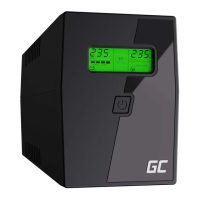
Green Cell POWER PROOF 2000VA - User Manual

Default Icon
32 pages
Print Icon
To Next Page IconTo Next Page
Loading...

Questions and Answers

Summary

Safety Information

General Safety Precautions

Essential guidelines for safe UPS operation and hazard prevention, including electrical safety and environmental considerations.

Battery Handling and Safety

Safe practices for manipulating, replacing, and disposing of the UPS battery to prevent accidents and ensure safety.

Environmental Disposal Guidelines

Instructions for the proper disposal of the UPS equipment, adhering to environmental regulations and WEEE symbol.

Product Overview and Operation

Key Product Features

Details the main features and benefits of the Green Cell PowerProof UPS series designed for PC use.

Basic Operational Guide

Step-by-step instructions for device setup, charging, positioning, and initial startup procedures.

Troubleshooting and Device Identification

Troubleshooting Common UPS Issues

Solutions for common problems such as no LED indication, beeping alarms, and unexpected battery operation.

Front Panel Overview

Identification and explanation of the front panel components, including the power switch and LCD display.

Display and Rear Panel Interfaces

LCD Display Information

Explanation of the LCD screen readouts, alerts, and status indicators for input/output voltage and battery level.

Rear Panel Connections

Description of the rear panel ports, including power input, output sockets, and optional communication interfaces.

Technical Specifications

Green Cell POWER PROOF 2000VA Specifications

General IconGeneral
Output Power1200 W
Frequency50/60 Hz
Number of Batteries2
AVR FunctionYes
Cold StartYes
Overload ProtectionYes
Surge ProtectionYes
Communication PortsUSB
Operating Temperature0-40°C
Capacity2000 VA
Input Voltage230V
Output Voltage230V
Recharge Time4-6 hours
TopologyLine-Interactive
Number of Output Power Connectors4
Transfer Time4-8 ms

Related product manuals