EasyManua.ls Logo

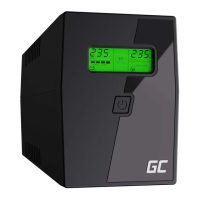
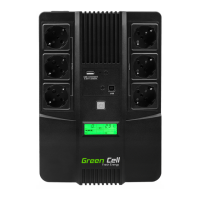
Green Cell 1KVA Series - User Manual

Green Cell 1KVA Series
130 pages
Print Icon
To Next Page IconTo Next Page
Loading...
BEDIENUNGSANLEITUNG
INSTRUKCJA OBSŁUGI
MODE D’EMPLOI
DE
PL
FR
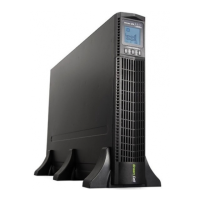
RACK TOWER 1KVA-3KVA
UPS User’s manual

Questions and Answers

  • S
    Sarah EdwardsAug 5, 2025
    Why does my Green Cell 1KVA have short backup time?
    • M
      masseyaliciaAug 5, 2025
      A short backup time on your Green Cell UPS can occur for several reasons: 1. The battery may not be fully charged. To resolve this, keep the UPS connected to mains power for at least 8 hours to recharge the battery. 2. The UPS might be overloaded. Check the connected devices and remove any unnecessary ones to reduce the load. 3. The battery could be old. If this is the case, contact an authorized dealer to obtain a replacement battery and assistance with assembly.
  • K
    Kimberly DavisAug 11, 2025
    What to do if my Green Cell 1KVA UPS doesn’t startup after pressing the ON key?
    • S
      steven88Aug 11, 2025
      If your Green Cell UPS fails to start after pressing the power button, consider the following: 1. Ensure you are pressing the correct combination of keys simultaneously to turn it on. 2. Check the battery connection. If the battery is low, turn off the UPS, disconnect some of the connected devices, and then try starting the UPS again. 3. If the above steps don’t work, there may be an internal fault.
  • M
    Marvin MillerAug 16, 2025
    What to do if battery capacity indicator flashes on Green Cell UPS?
    • L
      lucasanthonyAug 17, 2025
      If the battery capacity indicator is flashing on your Green Cell UPS, it means that the battery voltage is low or the battery is disconnected. You should check the UPS battery and ensure it is properly connected. If the battery is damaged, it should be replaced.
  • M
    Matthew MoralesAug 23, 2025
    What to do if the “INPUT” letters on LCD display section flashes on Green Cell 1KVA UPS?
    • B
      Bradley SpenceAug 23, 2025
      If the “INPUT” letters on the LCD of your Green Cell UPS are flashing, the live and neutral wires may be reversed or the mains power is out of range. Reconnect the input power cable, ensuring a correct connection.
  • R
    Robert SteinAug 28, 2025
    What to do if my Green Cell 1KVA has no input despite normal mains?
    • J
      Joel AndersonAug 29, 2025
      If your Green Cell UPS shows no input even with normal mains power, the UPS input breaker might be open. Try pressing the breaker to reset it.

Summary

Safety Warnings

Critical Safety Instructions

DANGER, WARNING, and CAUTION statements for safe operation.

Installation

EBP Connection Procedure

Step-by-step instructions for connecting Extended Battery Packs (EBPs).

UPS Initial Startup

Startup and Self-Test Procedure

Steps for powering on the UPS, performing self-tests, and initial checks.

Operation

Control Panel and Indicators

Explanation of the UPS LCD display, buttons, and status indicators.

User Settings

ECO and Bypass Function Settings

Configuration steps for ECO and Bypass modes and their tolerances.

Output Voltage Configuration

Instructions for selecting and setting the desired output voltage.

UPS Power On;Off and Testing

Startup, Shutdown, and Self-Test

Procedures for turning the UPS on/off and performing self-tests.

Configuring Battery Settings

Battery String Number Setup

Guide to setting the UPS for the correct number of battery strings.

Communication Options

UPS Maintenance

Battery Replacement Procedures

Instructions and warnings for replacing UPS batteries.

Troubleshooting

Common Faults and Solutions

Table detailing common UPS faults, their causes, and remedies.

Warning and Fault Code Reference

A table listing warning and fault codes by operating mode.

Green Cell 1KVA Series Specifications

General IconGeneral
BrandGreen Cell
Model1KVA Series
CategoryUPS
LanguageEnglish

Related product manuals