Configuration & Commissioning
26
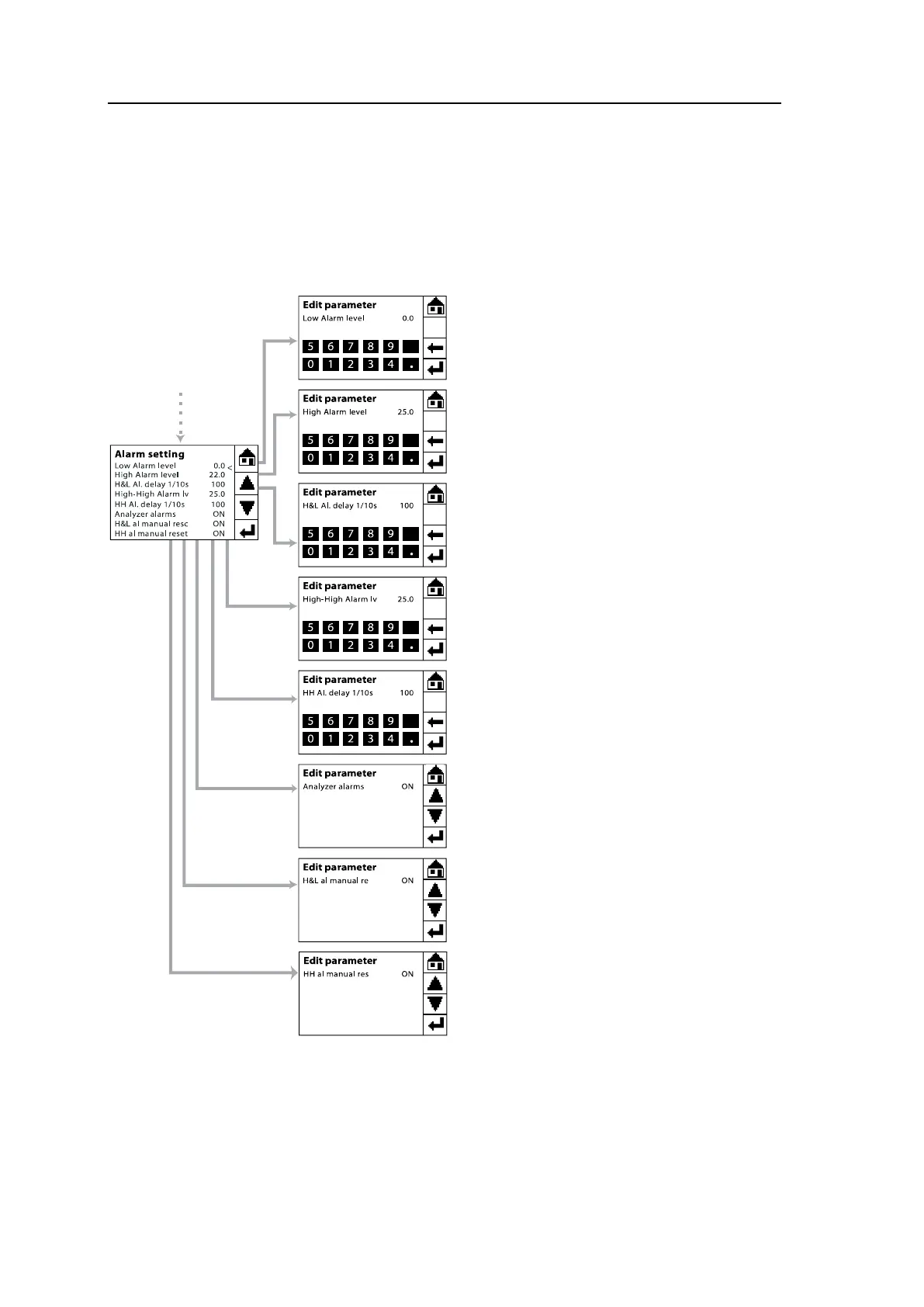
5.2 Setting of Alarm Limits
The route for setting the alarm limits is Tools menu\Service (Password level 1:
9490)\Alarm setup.
Figure 5-2: Settings of alarm limits
The G36p has three alarms for oxygen
level:
Low Alarm level sets the low O
2
level
alarm – default set to 0.0 %.
High Alarm level sets the high O
2
level
alarm – default set to 22.0 %.
High-High Alarm lv sets the high O
2
level alarm – default set to 25.0 %.
Besides, there are other settings for
alarms as follows:
H&L Al. delay 1/10s sets the alarm de-
lay for both Low and High O
2
level
alarms. Default
seconds).
HH Al. delay 1/10s
High-High O
2
alarm. Default set to 100
(equal to 10 seconds).
Analyzer alarms
ON/OFF the alarm function of the ana-
lyzer including analyzer
and oxygen level alarms.
When the Analyzer alarms is ON and
one of the alarm condition is present, the
Main Menu will display the alarm mes-
sage (e.g. Alarm: Low O
2
) in the bottom
left corner of the screen. Then, the alarm
relay will be triggered after the delay pe-
riod is over. For alarm relay output func-
tion and connection, please following the
instruction in section 3.4.3.



 To Next Page