Need help?
Do you have a question about the Greenlee 93-602 and is the answer not in the manual?
Guides users to verify they have the correct manual for their 93-602 multimeter model.
Details critical differences between current and earlier versions of the 93-602 multimeter.
Overview of the Greenlee 93-602 multimeter's measurement capabilities and intended uses.
Emphasizes the importance of following manual instructions and markings for safe use.
States the manual's aim to familiarize personnel with safe operation and maintenance.
Defines the safety alert symbol and hazard signal words: DANGER, WARNING, CAUTION.
Warns about electric shock, fire hazards, and proper use regarding moisture and test leads.
Covers safety for open cases, fuse replacement, and changing measurement functions.
Advises against repair, warns about temperature/humidity extremes, and EMI.
Guides on proper selector setting and test lead connection to prevent fuse blowouts.
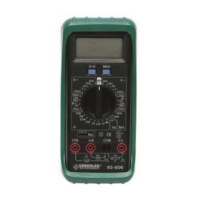
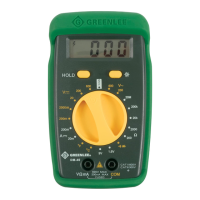
Identifies the multimeter's key parts: Display, Selector, Terminals, and hFE terminals.
Explains display icons (Polarity, Low Battery) and unit symbols (Manual, Shock, Battery, Fuse).
Details how to set the selector and connect leads for various measurements (DCV, ACV, DCA, etc.).
Guides on testing the unit on known circuits and basic troubleshooting steps like battery replacement.
Illustrates the correct setup for measuring voltage and current with the multimeter.
Shows how to perform resistance, continuity, and diode tests using the multimeter.
Presents the accuracy specifications for various measurements and input impedance details.
Details accuracy for continuity and hFE tests, plus general multimeter specifications.
Covers operating/storage conditions, battery type, fuse rating, and pollution degree.
Explains the different IEC1010 overvoltage installation categories (I, II, III, IV).
Step-by-step instructions for safely replacing the battery and fuse in the unit.
Provides guidance on how to clean the multimeter's case using appropriate methods.
Outlines the terms of the lifetime limited warranty for Greenlee products.
Provides contact details for technical assistance and customer service.
 General
| Brand | Greenlee |
|---|---|
| Model | 93-602 |
| Category | Multimeter |
| Language | English |

 To Next Page