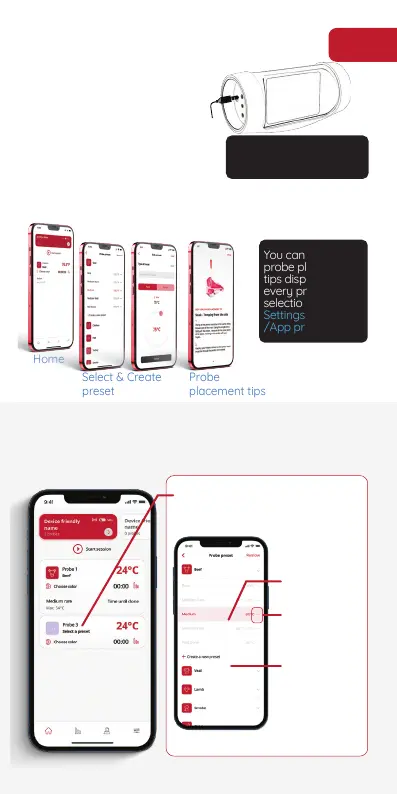
Press the
“Select a preset”
Complete
selection
Edit/Fine tune
selection
Create a
new preset
Let’s grill!
You can disable the
probe placement
tips displayed with
selection from
Settings/Initial
/App preferences
Home
Select & Create
preset
Probe
placement tips
for 5’ it will automatically
Bring your food to room
temperature and prepare
it. Plug-in any of the
instant GrillEye® Iris
probes to any of the 8
ports of the GrillEye®
Max.
Select the preset that matches your food &
preferences, or create your own if you want
From Home screen to Preset selection
5


 To Next Page