Need help?
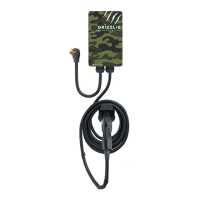
Do you have a question about the Grizzl-E GRS-14-24-P and is the answer not in the manual?
Explains how to adjust the charging station's current output for different circuit ratings.
Describes how the Grizzl-E Smart connects to Wi-Fi networks and its compatibility.
Details the electrical source requirements for installing the charging station.
Instructions and requirements for properly grounding the charging station.
Step-by-step guide on how to physically adjust the maximum current output setting.
Lists all necessary tools and parts for the correct installation of the charging station.
Step-by-step instructions for physically mounting and attaching the charging station.
A table detailing the various LED indicators and their corresponding statuses.
Lists error codes indicated by red LED flashes and their meanings.
Procedures for resetting the charging station in case of a fault.
Specifies the network requirements for optimal performance of the smart charger.
Step-by-step guide to connect the Grizzl-E to a Wi-Fi network using the ChargeLab app.
Guide to connecting the charger to an OCPP network.
Explains how to interpret Wi-Fi connection status using indicator lights.
Procedure to reset the Wi-Fi functionality on the charging station.
Steps for connecting the EV to the charger and initiating the charging session.
Guidance on utilizing smart charging features like scheduling.
Instructions on how to properly stop a charging session.
 General
| Model Number | GRS-14-24-P |
|---|---|
| Type | Battery Charger |
| Cable Length | 24 feet |
| Mounting Type | Wall-mounted |
| Weather Resistance | NEMA 4 |
| Operating Temperature | -22°F to 122°F (-30°C to 50°C) |
| Warranty | 3 years |
| Input Voltage | 240V AC |
| Output Current | 40A |
| Connector Type | J1772 |
| Indoor/Outdoor Use | Outdoor |

 To Next Page