EasyManua.ls Logo

Grizzly G9956 - User Manual

Grizzly G9956
32 pages
Print Icon
To Next Page IconTo Next Page
Loading...
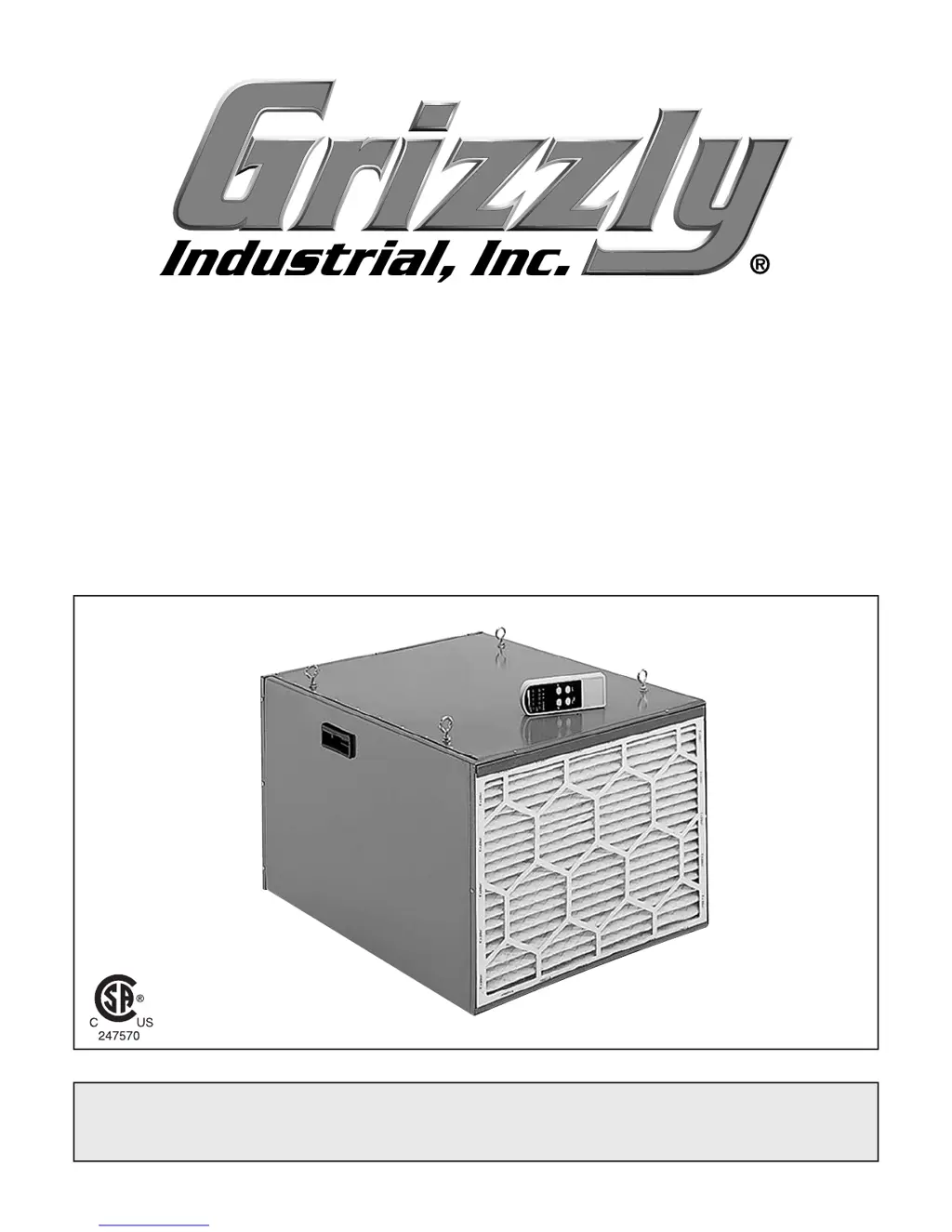
MODEL G9956
HEAVY DUTY DOUBLE
AIR FILTER
OWNER'S MANUAL
(For models manufactured since 8/15)
COPYRIGHT © APRIL, 2004 BY GRIZZLY INDUSTRIAL, INC. REVISED MARCH, 2017 (TR)
WARNING: NO PORTION OF THIS MANUAL MAY BE REPRODUCED IN ANY SHAPE
OR FORM WITHOUT THE WRITTEN APPROVAL OF GRIZZLY INDUSTRIAL, INC.
#DD6008 PRINTED IN TAIWAN

Other manuals for Grizzly G9956

Questions and Answers

  • F
    fbullockJul 26, 2025
    What to do if my Grizzly G9956 machine does not start or a breaker trips?
    • A
      Angela GutierrezJul 26, 2025
      If your Grizzly Water Filtration System doesn't start or a breaker trips, here's what to check: 1. Ensure the battery isn't dead or out of range; replace if necessary and stay within the signal range. 2. Verify the power supply is switched ON and has the correct voltage. 3. Check if the wall circuit breaker has tripped; ensure the circuit size is correct and replace any weak breakers. 4. Reset the air filter circuit breaker if it has tripped. 5. Inspect wiring for breaks, disconnections, or corrosion; fix as needed. 6. Inspect the receiver and replace it if faulty. 7. Replace the main switch or pull chain switch if faulty. 8. Test, repair, or replace the motor if it is at fault.
  • J
    James MullinsJul 31, 2025
    Why is my Grizzly G9956 machine stalling or underpowered?
    • C
      Christopher FieldsAug 1, 2025
      If your Grizzly Water Filtration System stalls or is underpowered, consider the following: * Test, repair, or replace the run capacitor if it's faulty. * Ensure the motor is wired correctly. * Test the plug/receptacle for good contacts and correct wiring. * Test, repair, or replace the motor bearings if they are faulty. * Clean the filters to reduce the load on the motor if the motor has overheated. * Test, repair, or replace the motor if it is faulty.
  • C
    Clifford NguyenAug 7, 2025
    How to fix vibration or noisy operation in Grizzly G9956?
    • J
      Jeffrey ObrienAug 7, 2025
      If your Grizzly Water Filtration System is vibrating or operating noisily: * Inspect for loose motors or components; replace any damaged bolts/nuts and re-tighten with thread-locking fluid. * Check if the motor fan is rubbing on the fan cover; fix or replace the fan cover, and replace any loose or damaged fans. * Test the motor bearings by rotating the shaft; if there's rotational grinding or a loose shaft, replace the bearings.
  • D
    Dana WalshAug 12, 2025
    What to do if there is loud noise or vibration from the Grizzly Water Filtration Systems air filter?
    • R
      Ryan NewmanAug 12, 2025
      If you notice loud, repetitive noise or excessive vibration from the air filter of your Grizzly Water Filtration System: 1. Stabilize the air filter if it's not mounted properly and wobbles. 2. Ensure all fasteners on the air filter are tight if the motor mounting is loose. 3. Unplug the air filter and inspect the impeller for dents, bends, or loose fins. If the motor shaft and impeller hub are damaged, replace the motor and impeller as a set. 4. Replace the motor fan housing if it's dented, causing the motor fan blade to hit the housing while spinning.
  • M
    Melissa RomanAug 18, 2025
    Why is my Grizzly G9956 air filter not collecting dust adequately?
    • M
      Michael JohnsonAug 18, 2025
      If the air filter of your Grizzly Water Filtration System isn't collecting dust adequately, resulting in poor performance, the primary or secondary filter may be dirty. Try cleaning or replacing the filters.

Summary

INTRODUCTION

Manual Accuracy

Describes manual creation accuracy and update process, advising on discrepancies.

Contact Info

Provides technical support and feedback contact details for assistance.

Machine Description

Explains the unit's purpose and basic function in capturing workshop dust.

Identification

WARNING

Urges reading the manual before operation to prevent serious injury.

Accessories

Lists optional accessories recommended by the manufacturer for purchase.

MACHINE DATA SHEET

Product Dimensions

Lists weight and size of the product for reference.

Shipping Dimensions

Lists weight and size specifications for shipping purposes.

Electrical

Details voltage, cord length, gauge, and plug requirements.

Motors

Specifies motor type, HP, voltage, phase, amps, speeds, and bearings.

Main Specifications

Operation Information

Details air suction capacity and impeller specifications.

Filter Information

Lists number, micron rating, type, and size of filters used.

Construction Information

Describes frame material, impeller, and paint finish.

Other Specifications

Lists ISO factory, warranty period, and assembly time.

Features

Highlights key features like remote control and 2-stage filtration.

SECTION 1: SAFETY

Safety Instructions for Machinery

Provides critical safety guidelines for operating machinery.

Additional Safety for Air Filters

Respiratory and Hazard Protection

Advises on lung protection, dust hazards, and allergies.

Operational Safety

Covers intended use, operating location, and cleaning precautions.

Fire and Explosion Prevention

Warns about ignition sources and dust buildup risks.

Mounting Safety

Guides on secure mounting to prevent injury from falling.

SECTION 2: POWER SUPPLY

Availability

Discusses checking power supply circuit availability before installation.

Full-Load Current Rating

Explains current draw and its relation to circuit capacity.

Circuit Requirements

Lists voltage, cycle, phase, and circuit amperage needed.

Grounding & Plug Requirements

Grounding & Plug Requirements

Details proper grounding and plug usage for electrical safety.

Extension Cords

Extension Cords

Advises on use, limitations, and specifications of extension cords.

SECTION 3: SETUP

Needed for Setup

Lists tools and supplies required for the setup process.

Inventory

Itemizes the components included with the machine.

Unpacking

Provides instructions for safely unpacking the unit.

Power Connection

Power Connection

Step-by-step guide for connecting the machine to power.

Disconnecting Power

Disconnecting Power

Safe procedure for unplugging the machine from power.

Remote Control

Remote Control

Instructions for installing the battery in the remote control.

Test Run

Test Run

Procedures for bench-testing the unit before installation.

Site Planning

Air Circulation Principles

Explains how to optimize air circulation for effective filtering.

Location Selection Guidelines

Lists factors for choosing where to hang the air filter.

Mounting

Proper Support Guidelines

Emphasizes secure mounting to support the unit's weight.

Components and Hardware Needed

Lists parts and tools required for mounting.

Attaching Eye Bolts

Attaching Eye Bolts

Details screwing eye bolts into the unit and mounting points.

Installing Air Filter

Installing Air Filter

Guides securing the unit using chains and hooks.

SECTION 4: OPERATIONS

Remote Control Operation

How to operate the air filter using the remote control.

Machine Operation Controls

How to operate the air filter using controls on the unit.

Fan Speeds & Timer

Fan Speed Adjustment

Explains setting fan speed using the remote control.

Timer Setting

Describes setting the automatic shutoff timer with the remote.

Filtering Performance

Recirculation Rate Calculation

Formula and example for calculating air recirculation.

Machine Storage

Storage Guidelines

Instructions for safely storing the air filter when not in use.

SECTION 5: MAINTENANCE

Cleaning Filters

Step-by-step guide for cleaning the primary and secondary filters.

SECTION 6: SERVICE

Troubleshooting

Lists common symptoms, causes, and solutions.

Motor & Electrical Issues

Specific troubleshooting for motor and electrical problems.

Air Filter Operations

Noise and Vibration Issues

Addresses loud noises and excessive vibration.

Poor Dust Collection

Solutions for inadequate dust collection.

Remote Control Battery Replacement

Battery Replacement Procedure

Instructions on how to replace the remote's battery.

SECTION 7: WIRING

Wiring Safety Instructions

Crucial safety warnings and guidelines for wiring.

Electrical Components

Component Views

Visual overview of electrical components and their connections.

Wiring Diagram

Wiring Schematic

Detailed diagram showing the unit's electrical connections.

SECTION 8: PARTS

Main Breakdown

Exploded view diagram of the unit with numbered parts.

Main Parts List

Parts Identification

Detailed list of all parts with reference numbers.

WARRANTY & RETURNS

Warranty Terms

Details warranty period, limitations, and exclusions.

Return Procedures

Instructions for returning a product under warranty.

Grizzly G9956 Specifications

General IconGeneral
BrandGrizzly
ModelG9956
CategoryWater Filtration Systems
LanguageEnglish

Related product manuals