F604055R00
USER’S INSTRUCTIONS
EN
Parameters sub menu
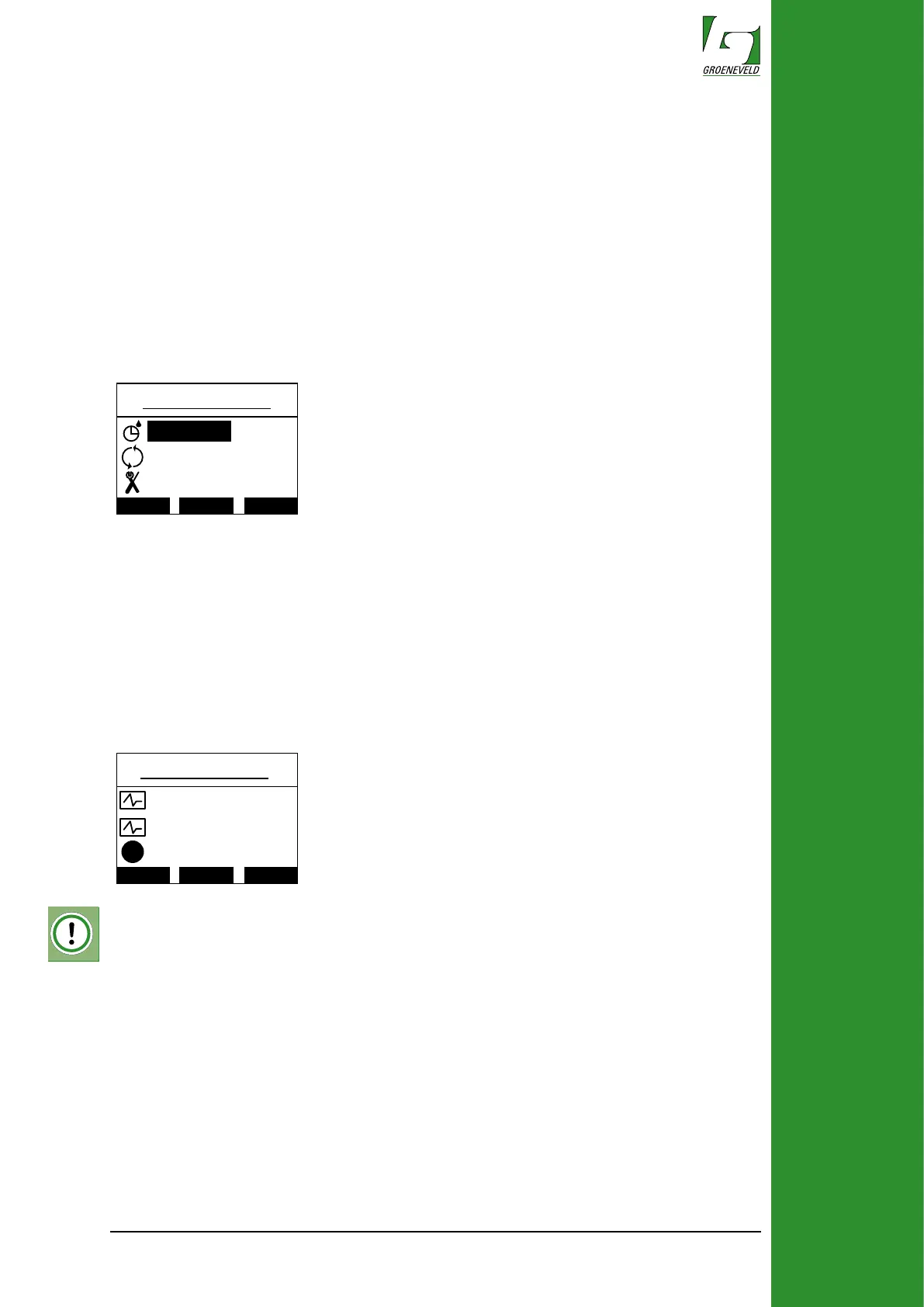
In the parameters sub menu some adjustments can be made to the function-
ing of the system, only do this if you are experienced and familiar with the
EcoPlus system.
The following adjustments can be made::
• Interval (the time between grease cycles in minutes)
• Delivery (the amount of rotations of the pump during a greasing cycle)*
• Display (this enters a sub menu where the display settings can be adjust
ed)
• Light on (the percentage of back-light when the display is active)
• Light dim (the percentage of back-light when the display is inactive)
• Contrast (sets the contrast value)
Delivery
Display
i
Inte rval
Diagnostics
Up Down Select
Multi test
Errors
i
Single test
X
*the amount of grease depends on type of outlet used in the pump.
Diagnostics sub menu
In the Diagnostics sub menu errors can be read out and test cycles for the
system can be started:
• Single test (starts a single greasing cycle)
• Multi test (starts ten greasing cycles)
• Errors (enters the errors sub menu)
• Inputs (enters the inputs sub menu)
More information about the information,setting and diagnostics menus can be
found in the EcoPlus general manual.


 To Next Page