17 18
HOW TO DETECT
Power ON by pushing the “POWER” button.
Press the “SETTINGS” button. There will be three options to
choose from:
OPTION 1:
Use the “<” and “>” arrow keys to the Sensitivity option and press
the “PP” button to select. While in Sensitivity you can change
how the sensitivity by using the “<” and “>” arrow keys. Press
“PP” to save.
OPTION 2:
Use the “<” and “>” arrow keys to the Volume option and press
the “PP” button to select. While in Volume you can change the
volume by using the “<” and “>” arrow keys. Press “PP” to save.
OPTION 3:
Use the “<” and “>” arrow keys to the Discrimination option and
press the “PP” button to select. While in Discrimination you can
eliminate certain metals by selecting either All Metal, Jewelry or
Coin. Use the “<” and “>” arrow keys to scroll to the option you
want. Press “PP” to save.
Press the “GG” button to activate Ground Grab Mode. Display
will show “OK” when ground grab is completed. If “ERROR” shows,
there may be a metal object underground, nd another clean
area nearby to retry ground grab.
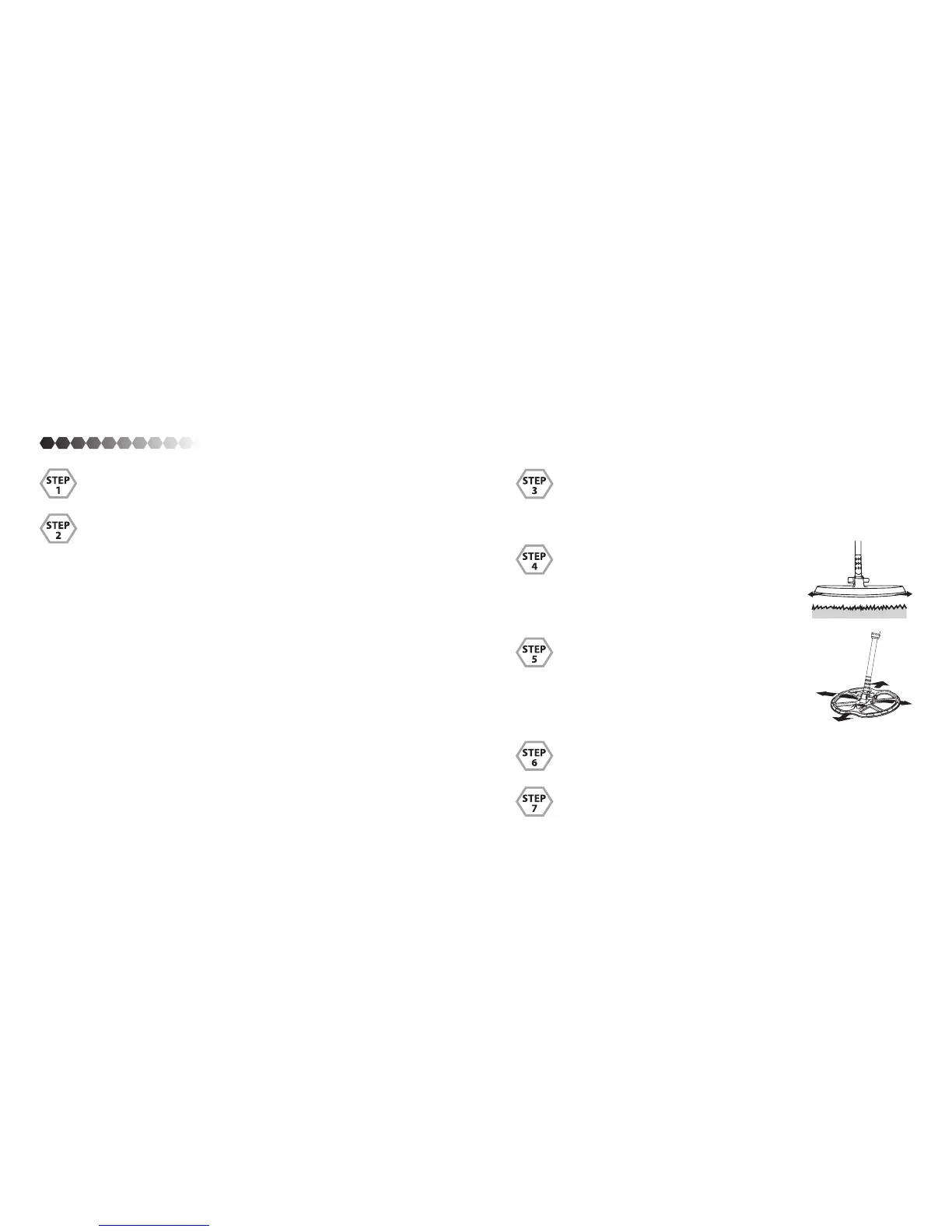
While in Discrimination Mode keep the coil
parallel to the ground moving it from left to
right with a stable speed. If it nds something
it will highlight the metal found and give o
a certain tone (refer to page 11).
When a metal is detected hold the “PP” but-
ton to activate Pinpoint function. Sweep the
coil over the target in an “X” pattern. While
in PinPoint it will show you the depth of the
metal found. So you can accurately know how
far down to dig.
Dig object out.
Once the object is found, ll the hole back up to the way you
found it.


 To Next Page