WWW.GFWORLDWIDE.COM | +1 (208) 664-9291
Rotate the center button to highlight each valve, and,
while they are highlighted, press the center button to
activate the valves desired for that program. A white
highlight will appear around each selected valve.
When nished, press Settings Menu (Button 2) to
save changes and return to operating mode.
To access more program options, press the center
button (A clipboard icon will be shown) with no valves
highlighted, or use the touch screen to select the
clipboard icon..
Additional options include:
• Timed mode
• Staggered mode
• PIN protection for individual programs
PIN codes allow on-site personnel to choose and set
a PIN code lock on some or all programmed spray
patterns.
Timed and Staggered modes allow the operator to
select either a Timed (ON - OFF - ON) or Staggered
(RIGHT - LEFT - RIGHT) spray pattern.
Timed mode
Staggered mode
Press Settings Menu (Button 2) again to exit
Programming Mode. Repeat as necessary to create
up to 6 programs for various spray patterns.
NOTICE
The (X) shown in the upper right corner of the menu screens
is not active. To return to a previous screen, press System
Options (Button 1).
X
5.12 ADJUSTING TIMER
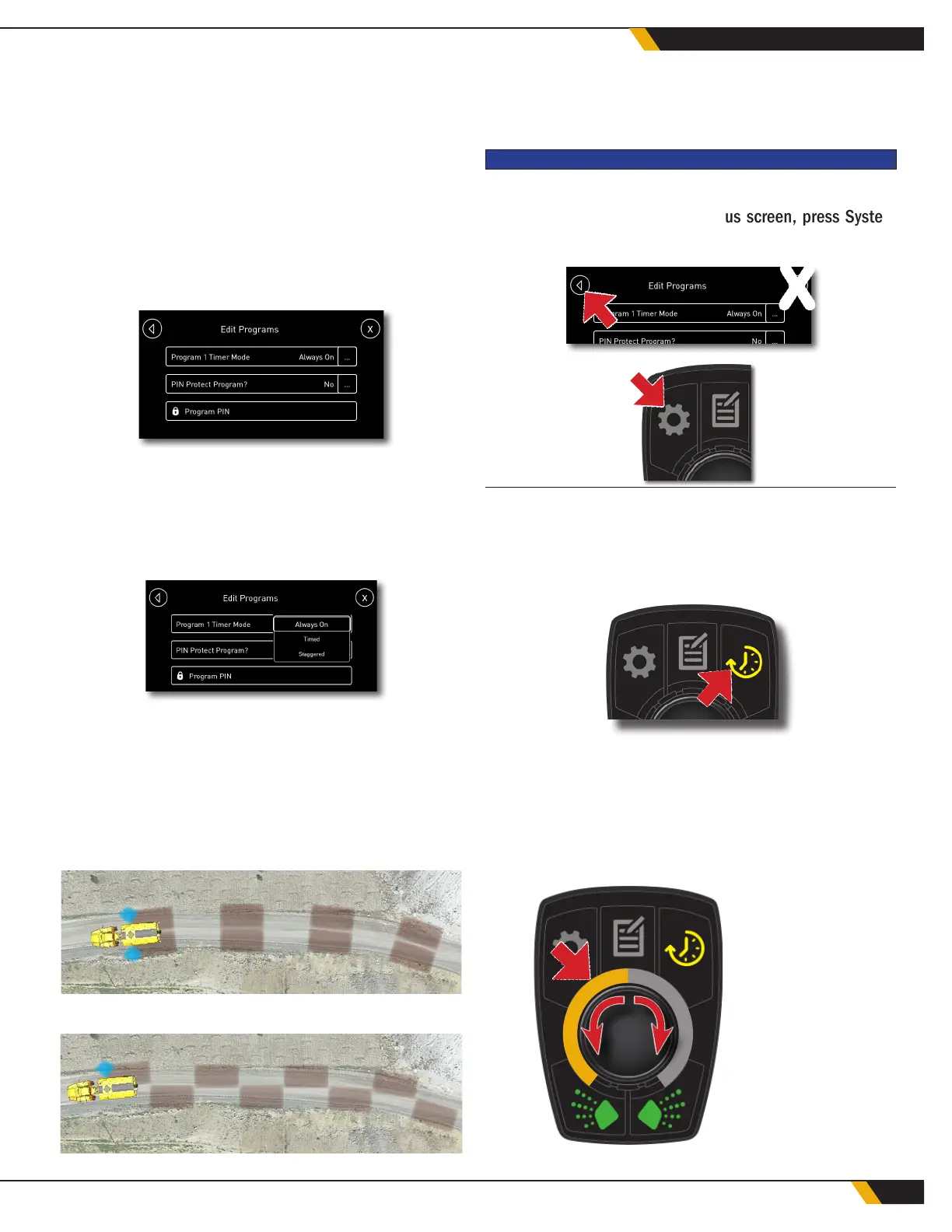
To adjust the time delay for timed or staggered
modes, press Timer Control (Button 3).
The button will turn yellow on the display, and a dial
will appear. If staggered mode is selected, the dial
will appear yellow. Turn the center button clockwise
or counter clockwise to select the on and off inter-
val for staggered mode. When nished, press Timer
Control again to exit the timer settings menu.
STAGGERED
MODE -
ON / OFF
TIME
5
34
WATER CONTROL SYSTEM



 To Next Page