WWW.GFWORLDWIDE.COM | +1 (208) 664-9291
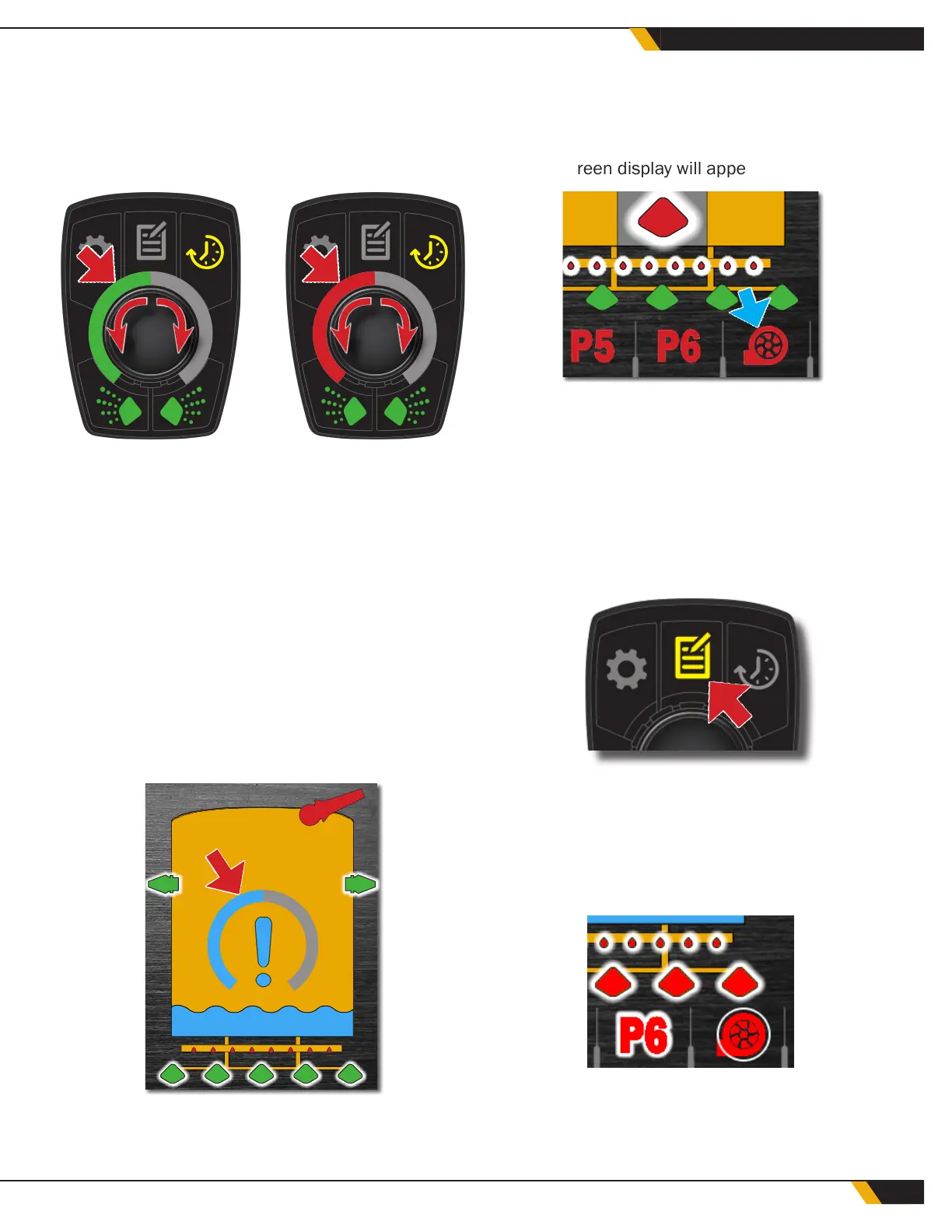
If timed mode is selected, the on and off times can
be adjusted separately. The dial will appear green for
the "on" interval and red for the "off" interval. Press
the center button to toggle between "on" and "off"
timer settings.
TIMED MODE -
OFF TIME
TIMED MODE -
ON TIME
5 5
When the desired timer or staggered spray setting
is selected, press Timer Control (Button 3) again to
return to the main operation screen.
The on/off time is adjustable from a minimum of
5 seconds to a maximum of 40 seconds. To adjust
these limits, see the User Adjust menu.
5.13 LOW-LEVEL WARNING
The low water level warning will appear when there is
less than 10 seconds of water remaining in the tank
at the current delivery rate.
A timer will appear to alert the operator of the time
remaining until the tank is empty and the water pump
shuts off. When the water level reaches the low-level
shut-off set point, the water pump will automatically
shut down to prevent damage to the pump. When the
water pump has shut down, the water pump icon on
the main screen display will appear red.
When the water level is above the low level shut-off
set point, the water pump function will be enabled
again.
5.14 LOW-LEVEL BYPASS
The low-level shutoff bypass function will turn the
pump back on again for 15 seconds. To engage the
bypass, press Button 2 (Settings Menu button).
The water pump icon will be red if the low-level shut-
off is active. Rotate the center button until the water
pump icon in the lower right corner of the display is
highlighted by a white circle. Press the center button
or tap the water pump icon on the touch screen to
restart the pump temporarily (15 seconds).
Press the Settings Menu button again to return to the
main display.
35
WATER CONTROL SYSTEM



 To Next Page