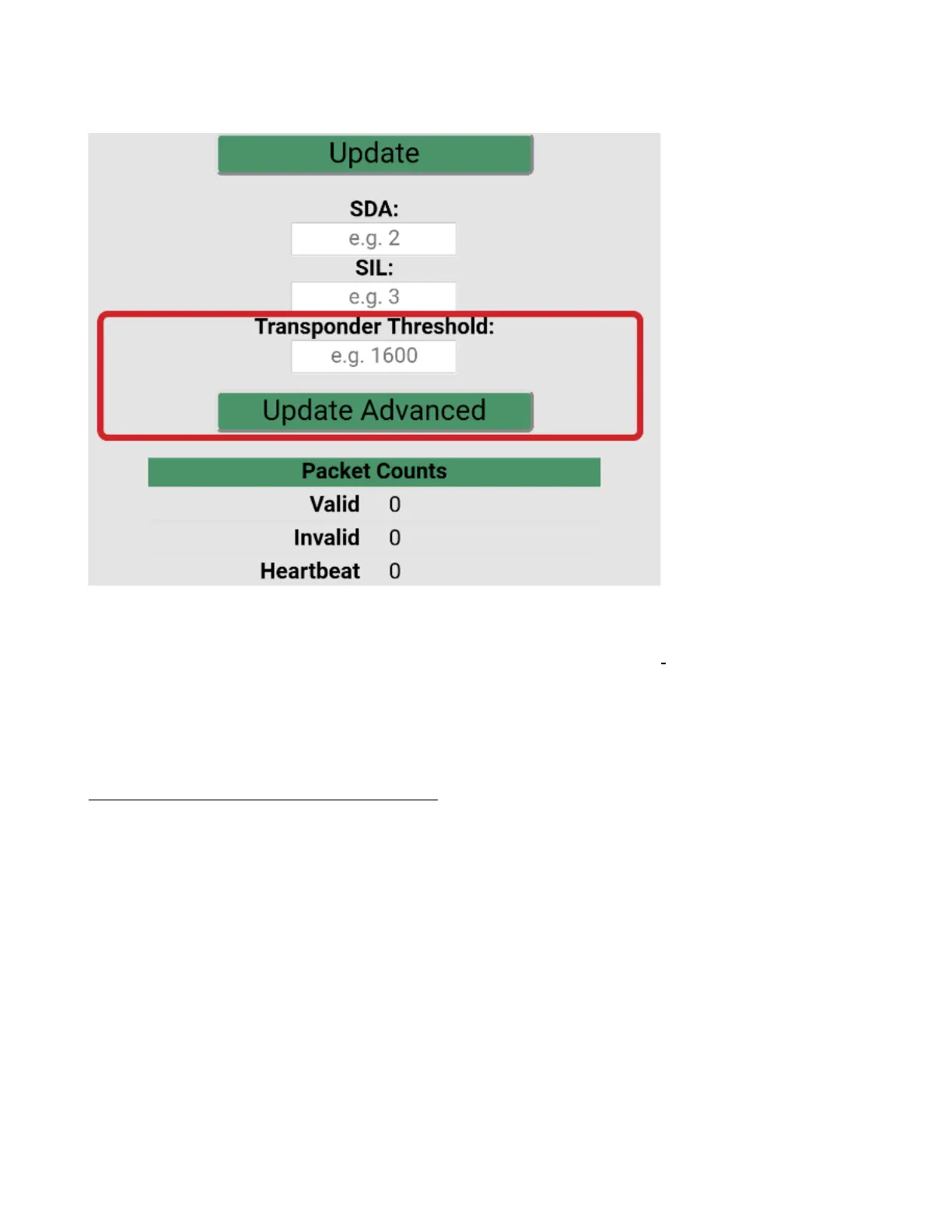
7. Scroll to the bottom of the app screen and find the Transponder Threshold values.
8. Change the Transponder Threshold by -50 and press Update Advanced.
9. Switch to the Monitor screen and watch for pressure altitude and squawk.
Please note transponder must be receiving radar interrogations for the fields to populate.Q Most
transponders have a reply light or indicator.
Note Mode S does not reply with pressure altitude in a ground state.
10.Q When the appropriateQthreshold has been reached the Squawk and Pressure altitude will display.Q
Repeat 8 & 9 until ALL fields are populated
__________________________________________________________________________________
Safe-Fly 2020 GPS – Rev P GRT Avionics, Inc
28


 To Next Page