ENGLISH
16
RECHARGING THE BATTERY
-------------------------------------
If the red LED is blinking every three
seconds continuously, the battery
should be recharged. 3D glasses are
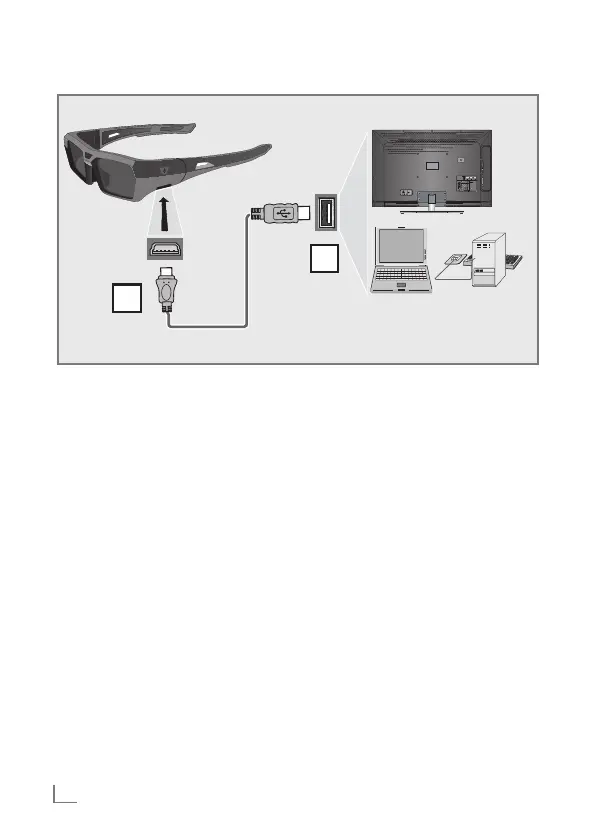
charged via computer or the USB
socket on the TV.
1 Connect the supplied USB cable
to the »USB« port on the glasses.
2 Connect the glasses to be re-
charged to the »USB« socket of
the television, PC or laptop with
the USB cable.
– While the battery is charging,
the LED glows orange.
1
2
Notes:
7
3 hours of charging provides
40 hours of operation.
7
If TV is in stand-by mode, the
battery may not be charged.



 To Next Page