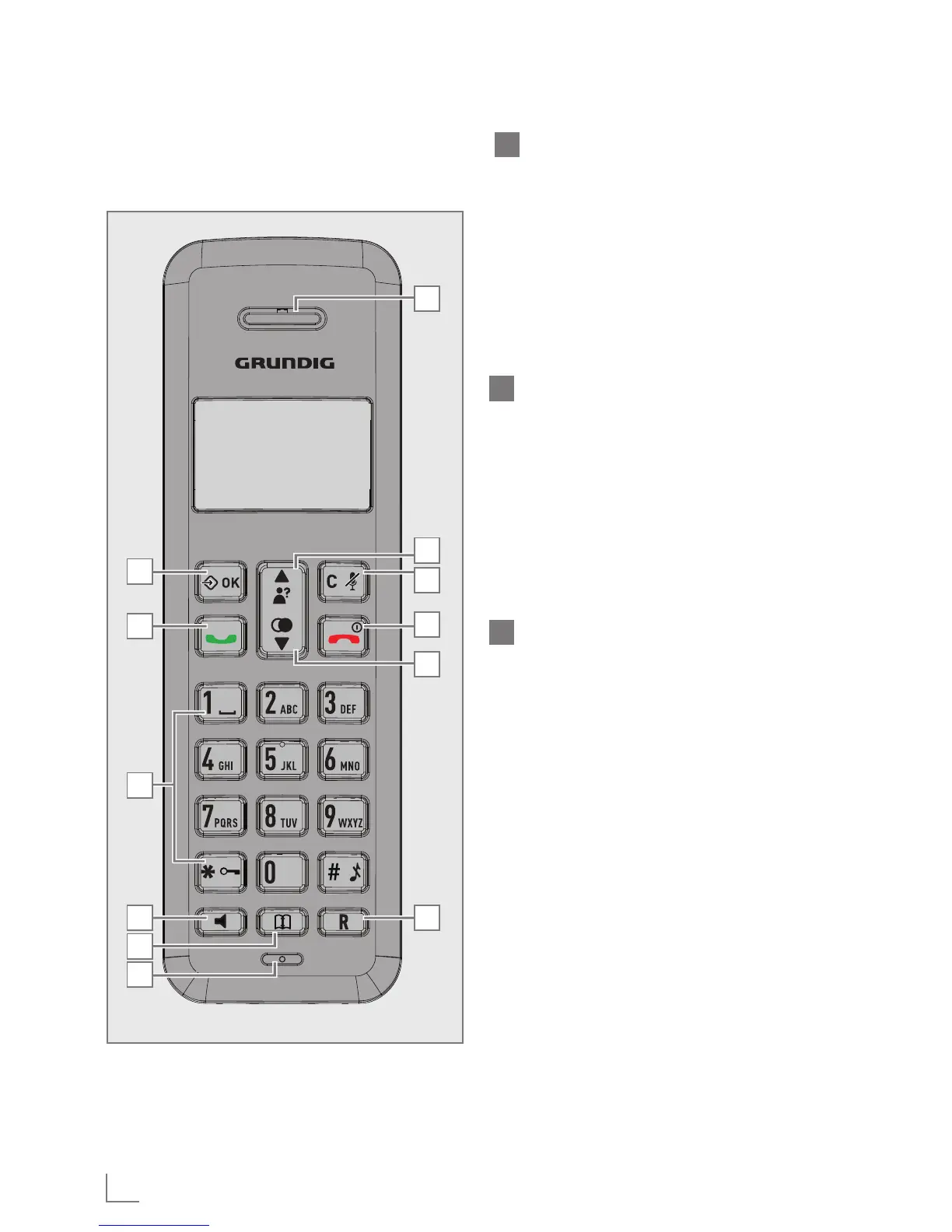
6
A
G
H
I
J
K
L
B
C
D
E
F
A
LEFT SOFT KEY (MENU/OK)
In idle mode: Press to access the
main menu
In sub-menu mode: Press to confirm
the selection.
During a call: Press to access Inter-
com/ Phonebook/ Redial List/ Call
List.
B
TALK ON
In idle / predialing mode: Press to
make a call.
In Redial list / Call List / Phonebook
entry: Press to make a call to the
selected entry in the list.
During ringing: Press to answer a
call.
C
ALPHANUMERIC KEYPAD,
* (STAR), # (HASH)
Press to insert a digit / character / *
/ #.
1 key in idle mode: Press and hold
to access the voice mail (for EU ver-
sion.
* key in idle mode: Press and hold
to enable or disable the keypad
lock.
* key during a call (in Pulse mode):
Press to switch to tone mode.
# key in Idle mode: Press and hold
to turn on / off the ringer.
0 key in idle / predialing / number
editing mode: Press and hold to insert
a pause.
# key in Call List mode: Press to re-
view caller’s number if applicable.
GETTING TO KNOW YOUR PHONE
______
Overview of the Handset
(for Speakerphone model)



 To Next Page