8
A
G
H
I
J
K
L
B
C
D
E
F
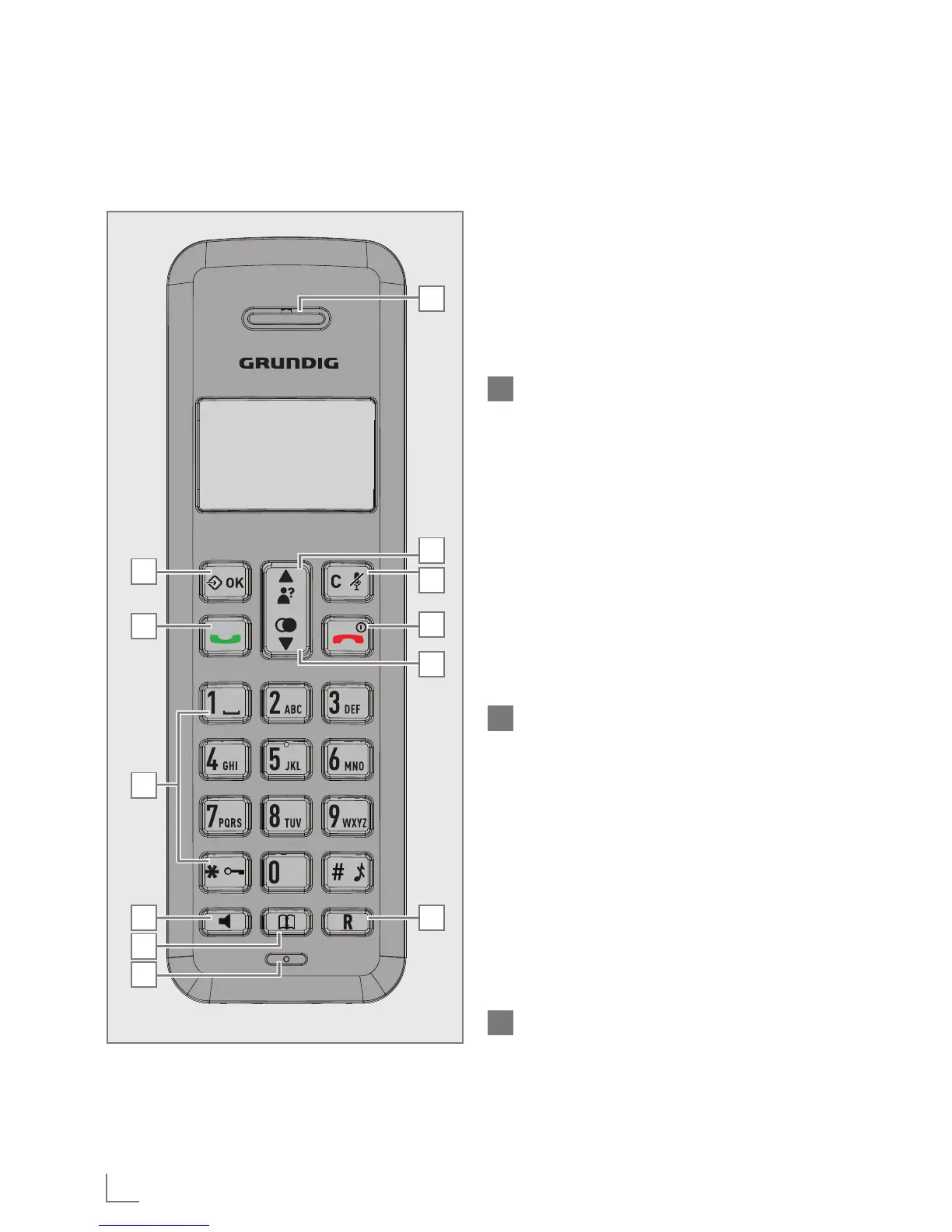
GETTING TO KNOW YOUR PHONE
______
In editing / predialing mode: Press
to clear a character / digit.
In editing / predialing mode: Press
and hold to delete all the charac-
ters / digits.
During a call: Press to mute / un-
mute the microphone.
In idle mode: Press to intercom an-
other handset.
J
TALK OFF
During a call: Press to end a call
and go back to idle screen.
In menu / editing mode: Press to go
back to previous menu.
In menu / editing mode: Press and
hold to go back to idle screen.
In idle mode: Press and hold to
power off the handset.
In idle mode (when the handset
is powered off): Press and hold to
power on the handset.
K
DOWN
In idle mode: Press to access the
redial list.
In menu mode: Press to scroll down
the menu items.
In Phonebook list / Redial list / Call
List: Press to scroll down the list.
During a call: Press to decrease the
volume.
In ringing: Press to decrease the
ringer volume.
L
FLASH
In idle / predialing mode: Press to
insert a flash.
During a call: Press to dial a flash.



 To Next Page