page 7
getting started | VCR features | DVD features | extra information
language selection
Ensure that your DVD/VCR is connected correctly (see the quick start guide) before following these instructions.
Your DVD/VCR is set to English language by default, however you can select German or French as the default language if required.
Note:
Menus will only stay on-
screen for approximately
one minute after the last
button press. Be sure to
press another button
within one minute to
prevent the menus from
clearing from the screen.
language selection | clock setting | tuning channels | playback features | rewind & forward features | index/repeat/tracking
one touch recording | timer recording | edit timer recordings | clock/counter & sharpness | NICAM stereo
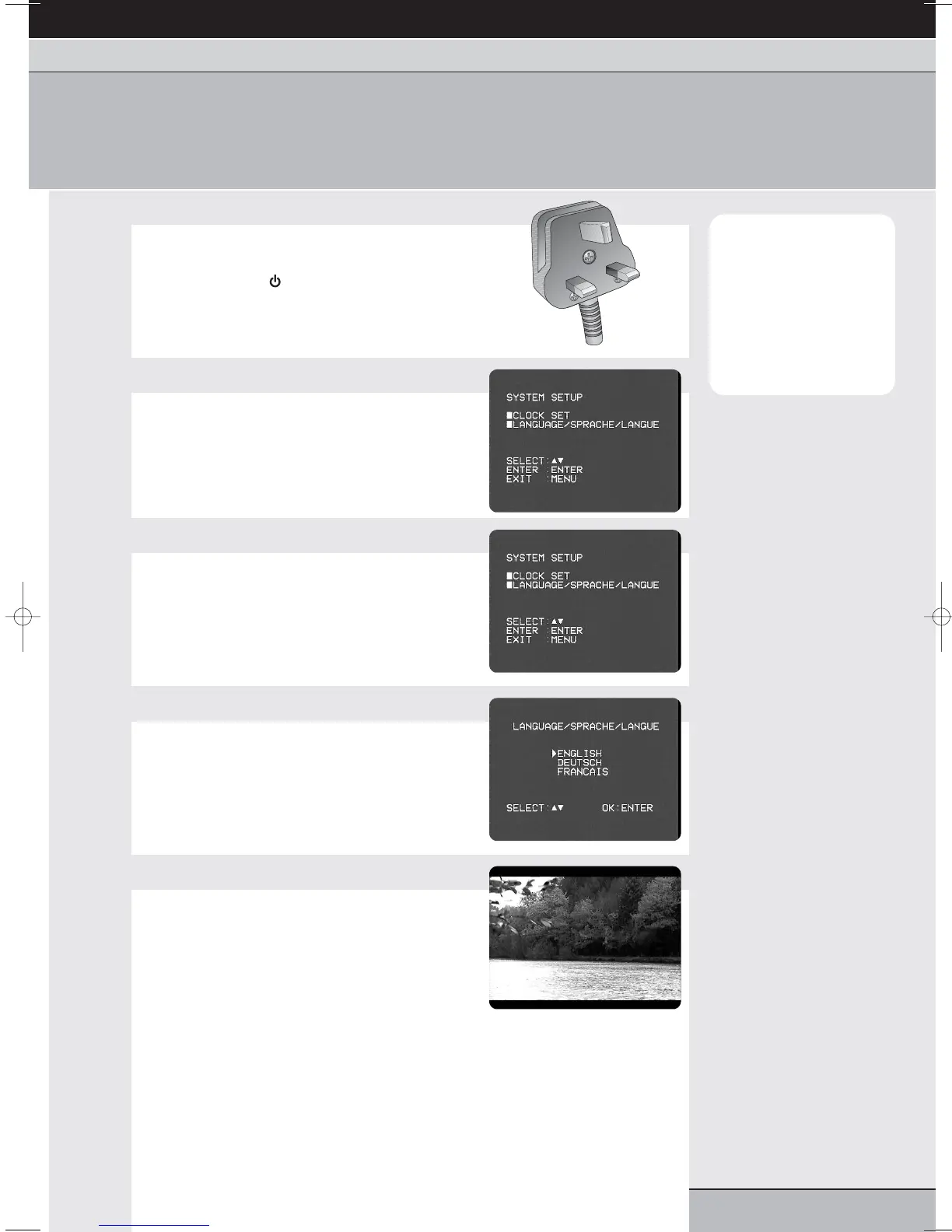
1
Switch on your DVD/VCR
Plug your unit into the mains and switch on at the
socket. Switch on your TV.
Press the standby button to switch on your
DVD/VCR.
2
Access the SYSTEM SETUP menu
Press vcr then set up/menu on your remote control.
The first time you press SET UP/MENU, your VCR
will go straight to the SYSTEM SETUP menu.
3
Select LANGUAGE
Press the cursor or buttons to highlight
LANGUAGE.
Press enter/select to access the LANGUAGE
menu.
4
Choose a language
Press the cursor or buttons to highlight a
language from the list.
Press enter/select to confirm your selection.
5
Exit the menus
Press the set up/menu button on your remote
control until all on-screen menus are removed.



 To Next Page