EasyManua.ls Logo

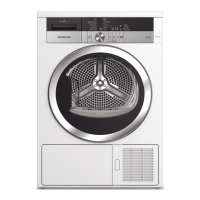
Grundig GT77824WHF14 - User Manual

Grundig GT77824WHF14
68 pages
Go to English
Print Icon
To Next Page IconTo Next Page
Loading...
Trockner
Bedienungsanleitung
Dryer
User Manual
GT77824WHF14
DE / EN
2960313063_DE/150222.1818

Table of Contents

Questions and Answers

  • A
    Amanda CraigAug 19, 2025
    Why does my Grundig GT77824WHF14 take too long to dry?
    • N
      Natalie RoweAug 20, 2025
      Your Grundig dryer might be taking too long due to several reasons. The fibre filters could be clogged, so wash them with warm water and dry them. The condenser front might be blocked, so clean it. Also, check that the ventilation grills are not obstructed and that the room is adequately ventilated. A lime layer on the humidity sensor, overloading the machine, or inadequate wringing of the laundry can also extend drying time. Clean the humidity sensor, avoid overloading, and ensure a higher speed wringing in your washing machine.
  • C
    Candice WhitakerAug 21, 2025
    What to do if my Grundig Dryer does not turn on or the program cannot be started?
    • M
      mcleanjohnAug 21, 2025
      If your Grundig Dryer isn't turning on or starting, check if the power cord is plugged in and ensure the loading door is fully closed. Verify that a program is set and that the dryer is not in Pause mode. Also, check if the child lock is activated and, if so, turn it off.
  • P
    Peter WardAug 25, 2025
    What to do if clothes come out damp after drying in my Grundig GT77824WHF14 Dryer?
    • J
      Jeffrey AdamsAug 25, 2025
      If your clothes are damp after drying in your Grundig dryer, several factors could be responsible. You might have used a program not suitable for the laundry type, so check the care labels and select an appropriate program. Also, the fibre filters or the condenser front side might be clogged, so wash the filters and clean the condenser. Avoid overloading the dryer and ensure your laundry is adequately wrung before drying.
  • A
    Alexandra VasquezAug 26, 2025
    Why is the fibre filter cleaning icon lit on my Grundig GT77824WHF14 Dryer?
    • R
      Ronnie MillerAug 26, 2025
      The fibre filter cleaning icon is lit on your Grundig Dryer because the fibre filter (interior and exterior filter) may be unclean, so wash the filters with warm water and dry them. It could also mean a layer has formed on the fibre filter pores, leading to clogging, or that the fibre filters are not properly inserted. Ensure you wash and dry the filters and that they are correctly placed.
  • S
    Steven KellerAug 28, 2025
    How to fix loading door that opens by itself on Grundig GT77824WHF14?
    • H
      haletaraAug 28, 2025
      If the loading door of your Grundig Dryer opens by itself, push the loading door until you hear the closing sound.
  • C
    Cory PittsAug 29, 2025
    What to do if the water tank warning symbol is on or flashing on my Grundig GT77824WHF14 Dryer?
    • G
      gblanchardAug 30, 2025
      If the water tank warning symbol is on or flashing on your Grundig Dryer, the water tank may be full, so empty it. Alternatively, the water discharge hose might have collapsed. If your dryer is connected directly to the water drain, inspect the water discharge hose for any blockages or kinks.
  • M
    Melissa Davis PhDAug 31, 2025
    Why is the condenser warning icon flashing on my Grundig Dryer?
    • J
      James BenitezSep 1, 2025
      The condenser warning icon might be flashing on your Grundig Dryer because the condenser front side is clogged with fibres, so clean the front side of the condenser. Also, ensure that the interior and exterior fibre filters are properly inserted.
  • J
    Jessica MillerSep 2, 2025
    Why did my Grundig Dryer program terminated prematurely for no reason?
    • C
      Colleen CollinsSep 3, 2025
      If your Grundig Dryer program stops unexpectedly, make sure the loading door is completely closed. A power outage might have occurred, so press the Start / Pause / Cancel button to restart the program. Also, the water tank may be full, so empty it.
  • S
    Stacey GriffinSep 4, 2025
    What to do if I see the “F L t” message on the screen of my Grundig GT77824WHF14?
    • T
      Tricia CurtisSep 4, 2025
      If you see the “F L t” message on your Grundig Dryer's screen, the filters may be dirty. Clean the internal and external filters, or replace the eco-friendly filter. If you're using a double filter system, ensure both filters are installed. For eco-friendly filters, check that the filter cloth is properly installed on the plastic part. Also, inspect and clean the area in front of the condenser.
  • M
    Marcus GardnerSep 6, 2025
    Why are my clothes shrunk, hardened or spoiled after using my Grundig Dryer?
    • D
      Diana FordSep 6, 2025
      Clothes may shrink, harden, or spoil if a program not suitable for the laundry type was used on your Grundig dryer. Check the maintenance labels on the clothes and select a program suitable for the clothes.

Grundig GT77824WHF14 Specifications

General IconGeneral
Appliance placementFreestanding
Loading typeFront load
Drying systemHeat pump
Rated capacity8 kg
Drying classB
Cycle time179 min
Noise level65 dB
Energy efficiency classA++
Annual energy consumption235 kWh
Product colourWhite
Delay StartYes
Child LockYes
Display TypeLED
Drying programsWool
Width59.7 cm
Height85 cm

Related product manuals