EasyManua.ls Logo

Grundig KVA 7230 - User Manual

Grundig KVA 7230
106 pages
Go to English
Print Icon
To Next Page IconTo Next Page
Loading...
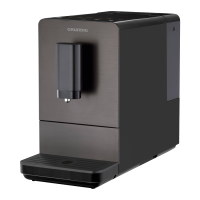
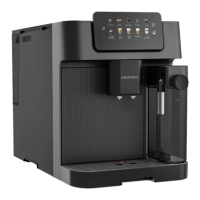
Fully Automatic Espresso
Machine With
Integrated Milk Cup
User Manual
01M-GMS6080-2523-03
01M-8914721600-2523-03
KVA 7230
DE - TR - EN

Questions and Answers

  • T
    Tony SchwartzAug 16, 2025
    Why my Grundig KVA 7230 Coffee Maker does not work?
    • V
      Victor WardAug 17, 2025
      If your Grundig Coffee Maker isn't working, it might not be properly connected. Ensure the appliance is plugged in, the switch is on, and both the cable and plug are in good condition.
  • Z
    zsolomonAug 19, 2025
    What to do if coffee is not coming out of the Grundig KVA 7230 Coffee Maker spout?
    • L
      Lindsey Peterson DVMAug 19, 2025
      If coffee isn't coming out of the spout, it might be due to a previously used empty system function or a blockage from coffee residues. Try pressing the cleaning button until water flows out and clean the coffee spout.
  • E
    Elizabeth CookAug 22, 2025
    How to make my Grundig KVA 7230 Coffee Maker coffee hotter?
    • A
      Adam PhillipsAug 22, 2025
      If your coffee isn't hot enough, preheat your cups by placing them on the cup warmer facing down or rinsing them with hot water. Also, ensure the water in the tank isn't too cold.
  • B
    Brian YoungAug 25, 2025
    Why is my Grundig KVA 7230 Coffee Maker dispensing coffee so slowly?
    • M
      Melissa AlvaradoAug 26, 2025
      If your Grundig Coffee Maker dispenses coffee slowly, the coffee grounds might be too fine, blocking the water flow. Adjust the coffee fineness to a coarser grind.
  • D
    David RobinsonAug 28, 2025
    What to do if Grundig KVA 7230 panel buttons are not responding?
    • S
      stephen17Aug 28, 2025
      If the panel buttons on your Grundig Coffee Maker aren't responding, the appliance might be experiencing electromagnetic interference, or the panel is dirty. Unplug the appliance, wait a few minutes, then restart it. Clean the panel with the provided cloth.
  • E
    Edward AlexanderAug 30, 2025
    Why does my Grundig KVA 7230 say not enough beans when there are plenty?
    • P
      Patricia MarshAug 30, 2025
      If the indicator flashes indicating not enough coffee beans even when the container is full, the internal coffee grounds outlet may be blocked. Follow the cleaning steps for the coffee grounds outlet.
  • C
    Courtney MartinezSep 2, 2025
    Why is the first cup of coffee from my Grundig Coffee Maker bad?
    • D
      dawn58Sep 2, 2025
      The first cup of coffee might be of poor quality because the initial grinding doesn't place enough coffee into the brewing unit. Discard the first cup; subsequent cups should be better.
  • J
    John PetersenSep 5, 2025
    What to do if I can't remove the brewer from my Grundig KVA 7230 Coffee Maker?
    • D
      Daniel PattersonSep 5, 2025
      If you cannot remove the brewer or coffee ground tray, the appliance likely didn't complete its self-cleaning process before being switched off. Turn the machine back on and allow it to finish the auto-cleaning cycle.
  • V
    Vincent TorresSep 7, 2025
    Why isn't my Grundig Coffee Maker alerting me to low water?
    • D
      David HarrisSep 8, 2025
      If there's no low water alert even when the water tank is low or removed, the area near the water tank connector might be wet. Wipe off any water around the connector.
  • M
    markreidSep 12, 2025
    How to restore the rinsing cycle on my Grundig KVA 7230 Coffee Maker?
    • M
      Melanie BerrySep 12, 2025
      If your appliance no longer performs the rinsing cycle, it may be due to improper handling during servicing. With the appliance in idle, open the front cover, press and hold the on/off button until you hear two beeps, then close the cover.

Summary

Manual Introduction

Explanation of Symbols

Explains symbols used in the manual for warnings and information.

Safety and Environment

Danger of Electric Current

Details dangers related to electric current and precautions to avoid electric shocks.

Danger of Burning or Scalding

Warns about hot parts and dispensed drinks, providing safety precautions.

Basic Safety Precautions

Lists general safety precautions for handling the coffee machine and packaging.

Intended Use and Liability

Defines intended use, warns against improper use, and states manufacturer liability limitations.

Environmental Compliance and Disposal

Explains WEEE/RoHS compliance, packaging recyclability, and proper product disposal.

Machine Overview

Component Identification

Provides an illustrated breakdown of the espresso machine's parts.

Technical Specifications

Lists technical specifications, dimensions, weight, and capacity details of the machine.

Display and Control Panel

Control Panel Functions

Details the icons and functions of the control panel buttons and indicators.

Preparation and Installation

Initial Installation Steps

Guides on unpacking, placement, drip tray insertion, and connecting the power cord.

Filling the Water Tank

Explains how to fill the water tank, including a protection mode warning.

Operation Guide

Grinding Adjustment

Explains how to adjust the coffee grind coarseness using the knob.

Filling Bean and Ground Coffee Containers

Instructs on filling bean containers and using the pre-ground coffee chute.

Cup Warmer and Coffee Preparation

Guides on using the cup warmer and the initial steps for preparing coffee.

Preparing Coffee with Milk

Details how to prepare milk-based drinks, adjusting milk amount and foam.

Adjusting Coffee Strength and Volume

Explains how to adjust coffee strength and save custom volumes for beverages.

Settings Reset and Mode Selection

Instructions for resetting settings, milk foam dispensing, and selecting operating modes.

Cancelling Operations

How to cancel ongoing brewing processes or force-shut down the device.

Cleaning and Maintenance

Appliance Cleaning Procedures

Provides general instructions for cleaning the exterior, drip tray, and residual container.

Descaling Function

Explains descaling requirements and provides step-by-step instructions.

System Emptying and Manual Rinsing

Guides on using the empty system function and manually rinsing the coffee nozzle.

Auto-Clean Mode Control

Instructions for deactivating auto-clean, bypassing it, and muting device sounds.

Troubleshooting Guide

Appliance Not Working or Panel Issues

Addresses issues where the appliance fails to turn on or the control panel is unresponsive.

Coffee Quality and Dispensing Problems

Solutions for coffee not being hot enough, not dispensing, or being of poor quality.

Water Level and Drip Tray Issues

Addresses issues with water level indication and excess water in the drip tray.

Slow Dispensing and Blockages

Solutions for slow coffee dispensing, blocked outlets, and false bean indicators.

Maintenance and Button Sensitivity Issues

Resolves difficulties removing components, rinsing cycle problems, and unresponsive touch buttons.

Grundig KVA 7230 Specifications

General IconGeneral
Cappuccino makingYes
Grinder typeStainless steel grinder
Product typeElectric coffee percolator
Capacity in cups6 cups
Hot water systemNo
Coffee input typeCoffee beans
Coffee maker typeFully-auto
Milk tank capacity0.6 L
Appliance placementCountertop
Water tank capacity2 L
Coffee beans capacity0.25 g
Adjustable coffee strength-
Maximum operating pressure19 bar
Number of grinder settings13
Reservoir for brewed coffeeCup
Control typeButtons, Touch
Product colorBlack, Silver
Warranty period2 year(s)

Related product manuals