EasyManua.ls Logo

Grundig KW 4060 - User Manual

Grundig KW 4060
9 pages
Print Icon
To Next Page IconTo Next Page
Loading...
KITCHEN SCALES
KW 4060
ENGLISH
Question and Answer IconNeed help?

Do you have a question about the Grundig KW 4060 and is the answer not in the manual?

Summary

Safety and Setup Instructions

At a Glance Overview

Special Features

Highlights the key features of the GRUNDIG KW 4060 kitchen scale, including its design and weighing capabilities.

Controls, Parts, and Accessories

Identifies the main components of the kitchen scale and its included accessories.

Operating the Kitchen Scale

Battery Installation and Replacement

Step-by-step guide for inserting or replacing the battery in the appliance.

Weighing Procedure

Instructions on how to properly place items and read the weight on the scale.

Changing Measurement Units

Guidance on how to select the desired unit of weight, such as grams or ounces.

Using the Tare Function

Explanation of how to use the Tare function to zero out the scale for multiple measurements.

Operational Tips and Troubleshooting

Provides helpful advice and common troubleshooting steps for the kitchen scale.

Product Information and Care

Cleaning and Maintenance Guidelines

Safe instructions for cleaning and caring for the exterior of the appliance.

Storage Recommendations

Advice on how to store the scale properly when not in use for extended periods.

Environmental Disposal Information

Information on the environmentally friendly disposal of the product and its battery.

Summary

Safety and Setup Instructions

At a Glance Overview

Special Features

Highlights the key features of the GRUNDIG KW 4060 kitchen scale, including its design and weighing capabilities.

Controls, Parts, and Accessories

Identifies the main components of the kitchen scale and its included accessories.

Operating the Kitchen Scale

Battery Installation and Replacement

Step-by-step guide for inserting or replacing the battery in the appliance.

Weighing Procedure

Instructions on how to properly place items and read the weight on the scale.

Changing Measurement Units

Guidance on how to select the desired unit of weight, such as grams or ounces.

Using the Tare Function

Explanation of how to use the Tare function to zero out the scale for multiple measurements.

Operational Tips and Troubleshooting

Provides helpful advice and common troubleshooting steps for the kitchen scale.

Product Information and Care

Cleaning and Maintenance Guidelines

Safe instructions for cleaning and caring for the exterior of the appliance.

Storage Recommendations

Advice on how to store the scale properly when not in use for extended periods.

Environmental Disposal Information

Information on the environmentally friendly disposal of the product and its battery.

Overview

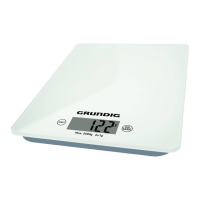
This document describes the GRUNDIG KW 4060 Kitchen Scales, a domestic appliance designed for weighing items with precision. The scales feature a sleek glass surface design and an ultra-slim appearance, making them a stylish and practical addition to any kitchen. The device operates with sensor buttons for ease of use.

Function Description

The GRUNDIG KW 4060 Kitchen Scales are primarily used for accurately weighing food ingredients and other small items in a domestic setting. The scales have a weighing range from 10 grams up to 5 kilograms, with a measuring accuracy of 1 gram. This precision allows for accurate measurement of ingredients, which is crucial for cooking and baking.

The scales are equipped with a display that shows the weight of the items. Users can switch between different units of weight, specifically grams (g) and ounces (oz), to suit their preferences or recipe requirements. This flexibility enhances the usability of the scales for various culinary tasks.

A key feature of these kitchen scales is the Tare function. This function allows users to weigh additional items separately and continuously add them to the existing contents in a container without having to empty the container or perform manual calculations. This is particularly useful when multiple ingredients need to be measured into the same bowl.

The scales are powered by a 3V lithium CR-2032 battery. An indicator on the display will show "Lo" when the battery is running low, prompting the user to replace it. To conserve battery life, the appliance automatically turns off after 1 minute of inactivity.

Usage Features

To begin using the scales, first ensure they are placed on a stable, flat, clean, dry, and non-slip surface to ensure accurate readings. Vibrations should be avoided as they can affect the measurement accuracy.

Inserting/Replacing the Battery:

  1. Open the battery compartment located on the bottom of the appliance by pressing the latch inwards and removing the cover.
  2. If an expired battery is present, remove it and dispose of it in an environmentally friendly manner.
  3. Insert a new 3V CR-2032 battery into the compartment, paying close attention to the correct polarity as indicated inside the compartment.
  4. Replace the battery compartment cover, ensuring it clicks into place.

Weighing Items:

  1. Press the "ON/TARA" button to turn the appliance on.
  2. Wait approximately 5 seconds for the appliance to be ready for operation. The display will show "0 g" when it is ready.
  3. Place the items to be weighed on the weighing surface. The display will show the weight in a few seconds.
  4. To turn the appliance off, hold down the "ON/TARA" button for 5 seconds.

Determining the Unit of Weight:

  1. Continuously press the "UNIT" button to cycle through the available measuring units (grams and ounces) until the desired unit is displayed.

Tare Function:

  1. After placing a container on the scales and pressing "ON/TARA" to zero the weight (if needed), place the first item to be weighed into the container.
  2. Once the weight is displayed, press the "ON/TARA" button again. The display will show "Tare" and then "0 g" after about 2 seconds, effectively resetting the scale to zero for the next item while keeping the previous weight in memory.
  3. Place the additional item on the weighing surface. The display will show the weight of the new item.
  4. Repeat steps 1-2 for any further additional items.

Hints and Tips:

  • Containers such as bowls, plates, or cups can be used for weighing, but ensure they are not too large for the weighing surface.
  • Always position the container correctly on the weighing surface.
  • If the display shows a malfunction, try resetting the appliance by removing the battery, waiting 10 seconds, and then reinserting it.
  • Do not overload the scales. If the scales are overloaded, "EEEE" will appear on the display, indicating a potential for damage. The maximum weight capacity is 5000 g / 176 oz.

Safety Precautions:

  • The appliance is designed for domestic use only and should not be used for commercial purposes.
  • Never immerse the appliance in water or other liquids, and do not hold it under running water.
  • Do not use the appliance if it is damaged, dropped, or if there are any cracks or chips on the glass surface.
  • Keep the appliance out of reach of children. Children should be supervised to ensure they do not play with the appliance.
  • Do not operate or place the appliance on or near hot surfaces (e.g., gas burner, electric hot plate, hob).
  • Avoid using the appliance in or near combustible or inflammable places and materials.
  • Batteries are dangerous if swallowed; keep them away from children. Do not recharge, reactivate, or throw batteries into fire.
  • If the appliance will not be used for a long period, remove the battery.
  • If the scales malfunction, try replacing the battery.

Maintenance Features

Cleaning and Care:

  1. Always turn the appliance off before cleaning.
  2. Use a damp, soft cloth to clean the exterior of the appliance.
  3. Never use alcohol, acetone, petrol, solvents, abrasive cleaners, metal objects, metal polish, or hard brushes to clean the appliance.
  4. Never put the appliance in water or any other liquid.
  5. After cleaning, carefully dry all parts with a soft towel.

Storage:

  • If the appliance will not be used for a long period, store it carefully.
  • Ensure the appliance is completely dry before storage.
  • Store the appliance in a cool, dry place, protected from moisture and direct sunlight.
  • Keep the appliance out of the reach of children.
  • Remove the battery from the battery compartment if the appliance will not be used for an extended period.

Environmental Note:

This product is made from high-quality, recyclable materials. Do not dispose of the product or battery with normal household waste. Take it to a collection point for the recycling of electrical and electronic equipment. Remove the battery before disposing of the appliance. Dispose of expired batteries in an environmentally friendly way, according to legal regulations.

Grundig KW 4060 Specifications

General IconGeneral
ModelKW 4060
TypeKitchen Scale
Maximum Weight Capacity5 kg
Graduation1 g
DisplayLCD
Auto Power OffYes
Overload IndicatorYes
Low Battery IndicatorYes
Units of Measurementg, oz, lb
Power Supply2 x AAA batteries
MaterialPlastic

Related product manuals