12
OPERATION
___________________
General functions
Switching on and off
1 Press and hold down »8« to switch the device on and
off.
Adjusting the volume
1 Adjust the volume using »+ –«.
Adjusting the tone
1 Open the menu with »MENU«.
2 Select the option»<S
y
stem>« with »r e« and
confirm by pressing »OK«.
– Display: »<Equaliser>«.
3 Confirm the option »<Equaliser>« by pressing
»OK«.
– Display: e.g. »<Normal>«.
4 Select the desired option with »r e« and confirm by
pressing »OK«.
5 Press »MENU« to end the display.
DAB mode
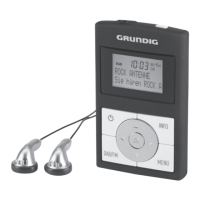
The headphones must be connected for the best possi-
ble DAB reception. The connection cable for the head-
phones also functions as a DAB aerial.
Selecting the input source DAB
1 Select the input source DAB with »DAB/FM«.
– Display: »DAB Mode«, then the name of a DAB
radio station.







 To Next Page