6
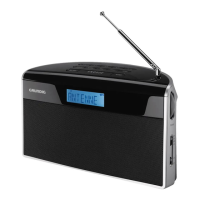
See the figure on page 3.
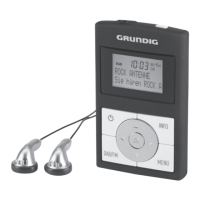
8 Press and hold down switches the device
on and off.
0 Earphone socket (3.5 mm stereo plug).
Antenna for DAB-/ and FM reception.
Press and hold down, locks and unlocks
buttons of the device.
Display Shows various information such as channel
name, time, volume and the menu.
INFO Displays station information.
MENU Opens the menu.
r e Selects radio stations.
Selects menu options.
OK Confirms settings.
q w Select presets for selecting and storing.
● Reset button, reset the device in the event of
a malfunction.
DAB/FM Switches between DAB and FM input
sources.
USB socket for connecting the device to
the computer, commercially available
standard USB charger with a USB socket
using a USB cable.
+ – Adjusts the volume.
OVERVIEW
____________________




 To Next Page